By activity › Surfing
Surfing

Surfing, from the forecast swell to every wave.

Know which hour will be the one for your level, count your waves on your wrist, and look back at the best one.


App StoreGoogle Play

Session recording, on the watch and on the phone, is in beta.

Record your session and relive it on the map, with the measured wind when a station records it: free. Or import it from your GPS watch →

Where to surf, month by month: seasons of the big destinations →
PlanA rating per hour for your level, the size at the shore, the wind on the spot.
On the waterYour Apple Watch counts your waves and your time on the board.
ReliveEvery wave replayed, your rights and lefts, your best wave.
Plan

The right hour, for your level.

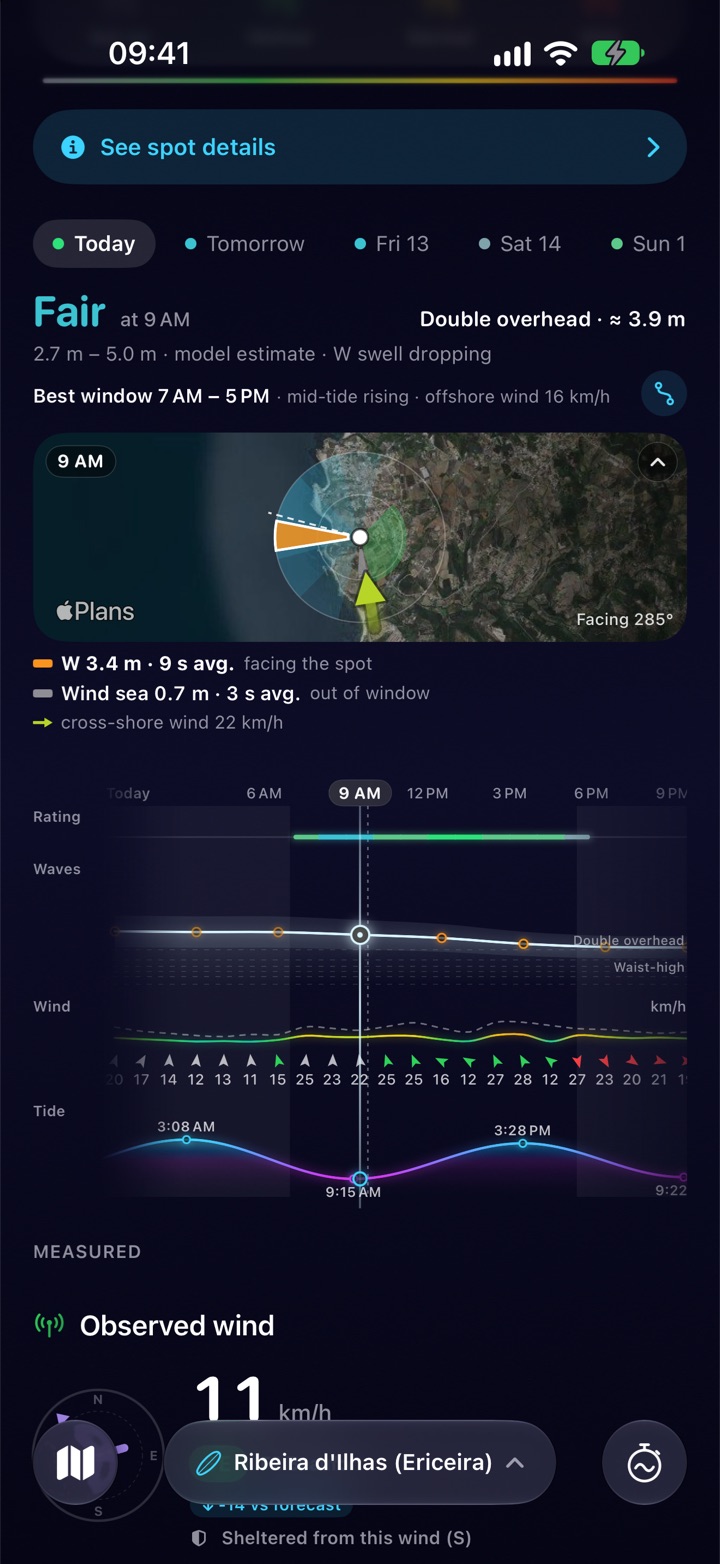
Surf mode rates every hour from Flat to Very good for your level, with “Too big” when it goes beyond it. It keeps the swell that actually reaches your spot, gives the size at the shore in body heights (waist, chest, head), and the wind: offshore, cross-shore or onshore. Premium.

  • The day's best window, with its tide and wind
  • The spot view: the swell window, each swell and its period, the wind
  • The nearest buoy when there is one: the live reading, kept separate
  • The week's surf GO windows, dawn included (Premium)
Surf mode: the hour's rating, the size at the shore, the swell and the wind
On the water · beta

Your waves, counted on your wrist.

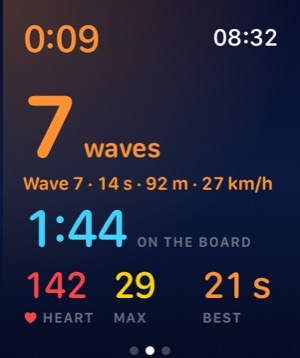
The Apple Watch surf screen shows your wave count in big, and at the end of each one its duration, length and speed. Plus your time on the board and your heart rate.

Apple Watch during a surf session: the last wave, its duration and speed
Relive

Your best wave, replayed.

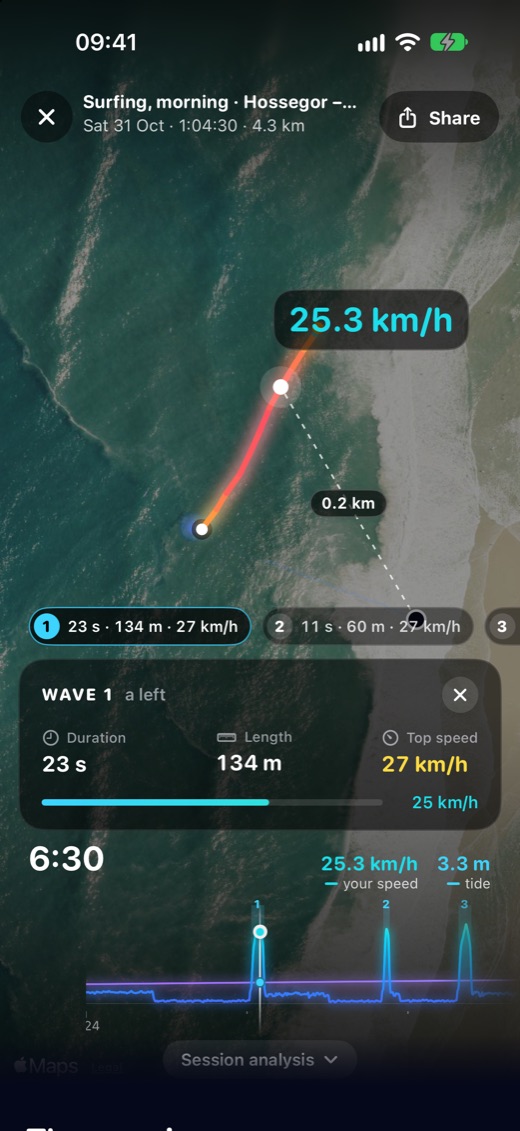
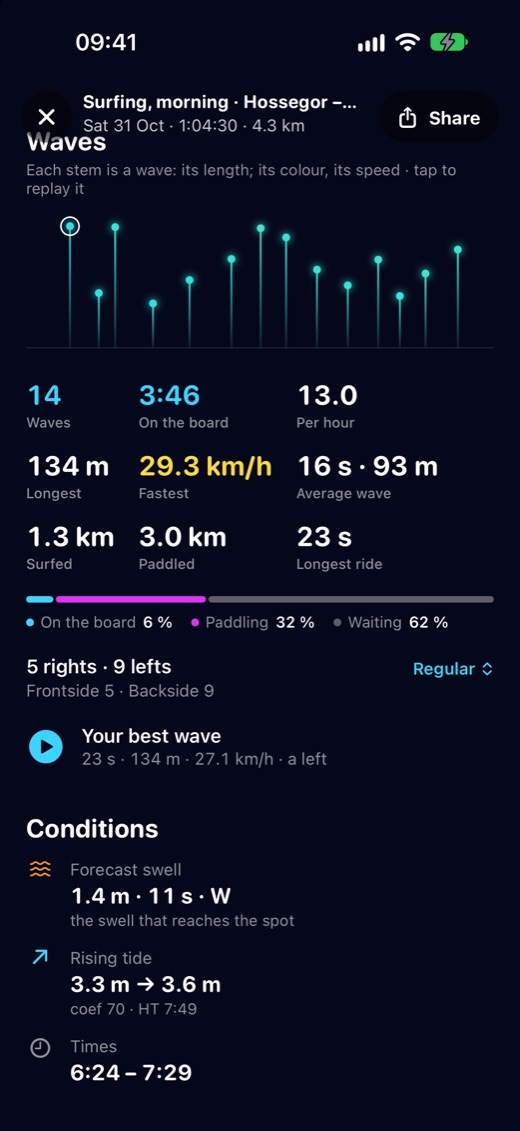
Tap a wave: the map zooms in and replays it, colored by its speed. With Premium, every wave in detail: time standing, paddling and waiting, rights and lefts, frontside or backside for your stance, your longest ride, and the swell forecast during your session.

Reliving a wave: the map zoomed on the wave and its speedThe wave analysis of a surf session
Spots and guides

Questions

How is the surf rating worked out?

It starts from the swell that reaches your spot, its period, the wind on the spot and the tide, and it depends on your level: a “Good” for a beginner isn't a “Good” for an expert. Night hours get no rating.

What is the size shown?

An estimate of the size at the shore, in body heights, from the forecast: never a measurement. The buoy, when there is one, is shown separately, with its age.

How does the watch count waves?

A wave starts when you head for the beach above 10 km/h and lasts at least 3 seconds. Tide It keeps its duration, length and speed.

Other activities

Ready for your next session?

App StoreGoogle Play