Landscape: the Mac window
Sidebar, curve in the center, module column on the right: water height, current, today's tides, measured wind and weather.
Tide It › iPad
New · Designed for iPadIn landscape, the iPad gets the Mac app's window: your spots in the sidebar, the tide and wind curve in the middle, water height, current, measured wind and weather on the right. In portrait, a dashboard. Read the tide, real wind and swell at a single glance.
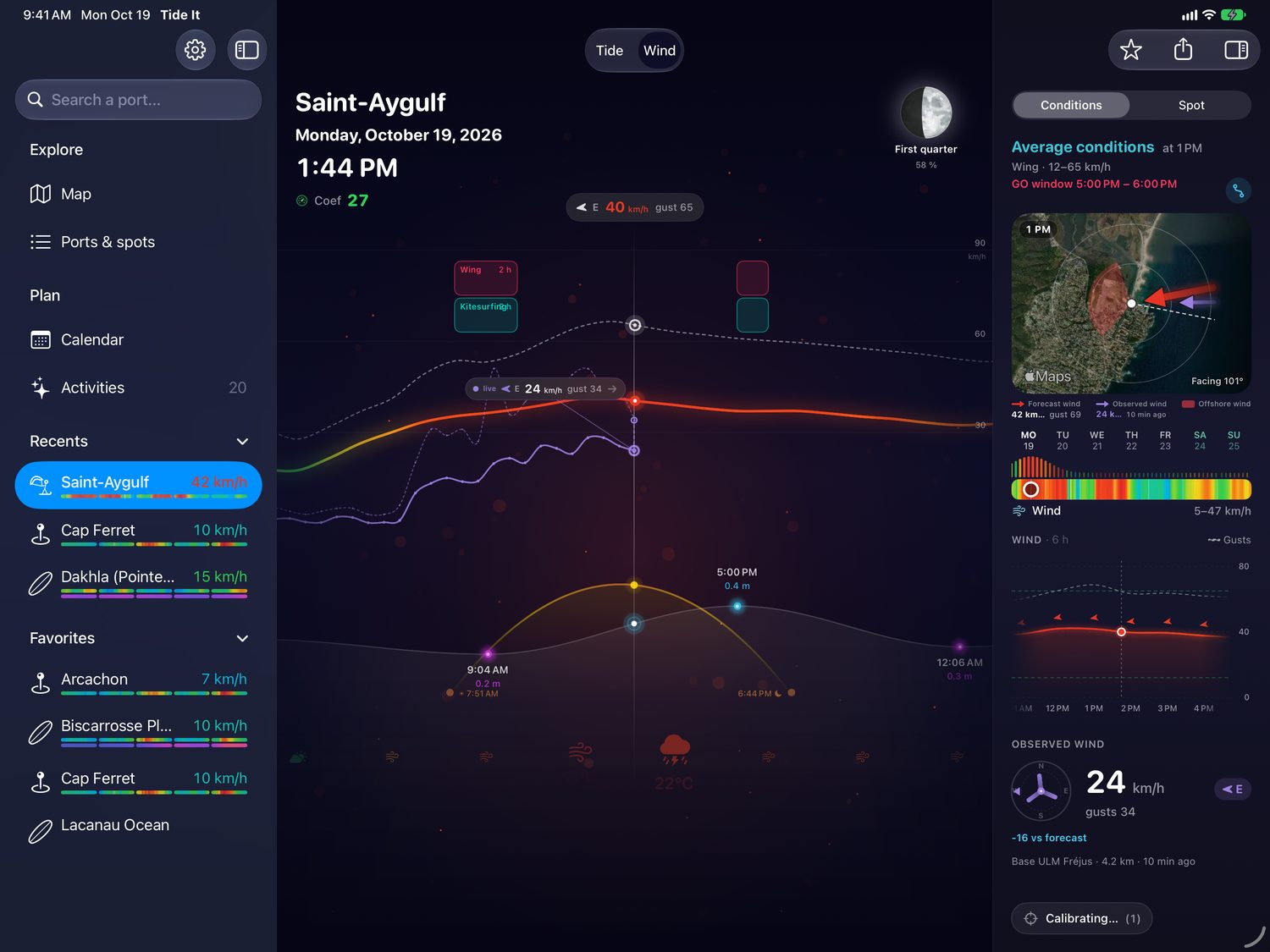
Sidebar, columns, panes: Tide It on iPad takes the Mac app's window and adapts it to touch. Everything that makes a session reads without scrolling.
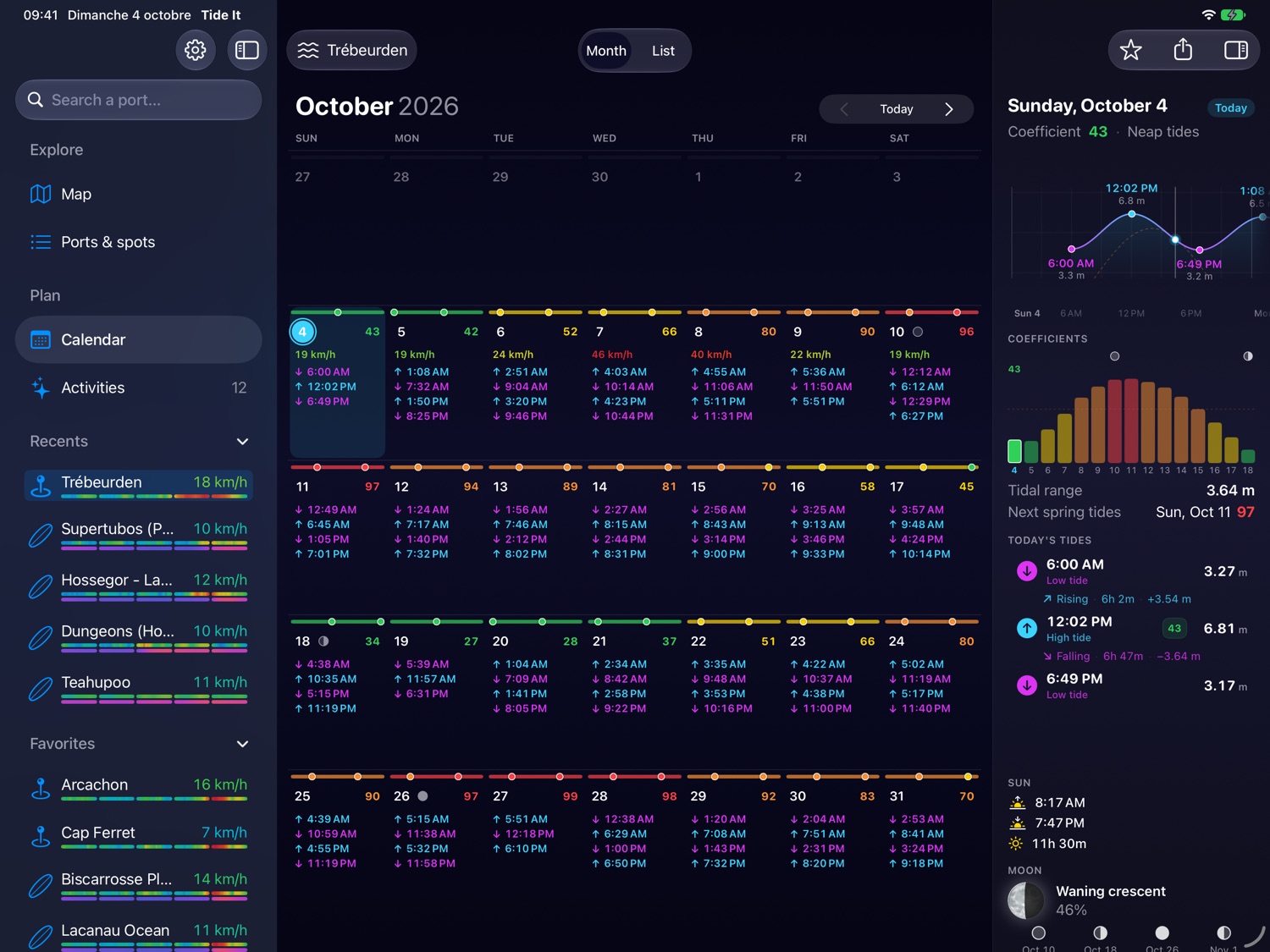
Every high and low tide of the month, with heights and coefficients in color, from neap to spring tides. Tap a day: its curve, tidal range, sun, moon and coefficient cycle appear in the column. Swipe the curve and the days roll by.
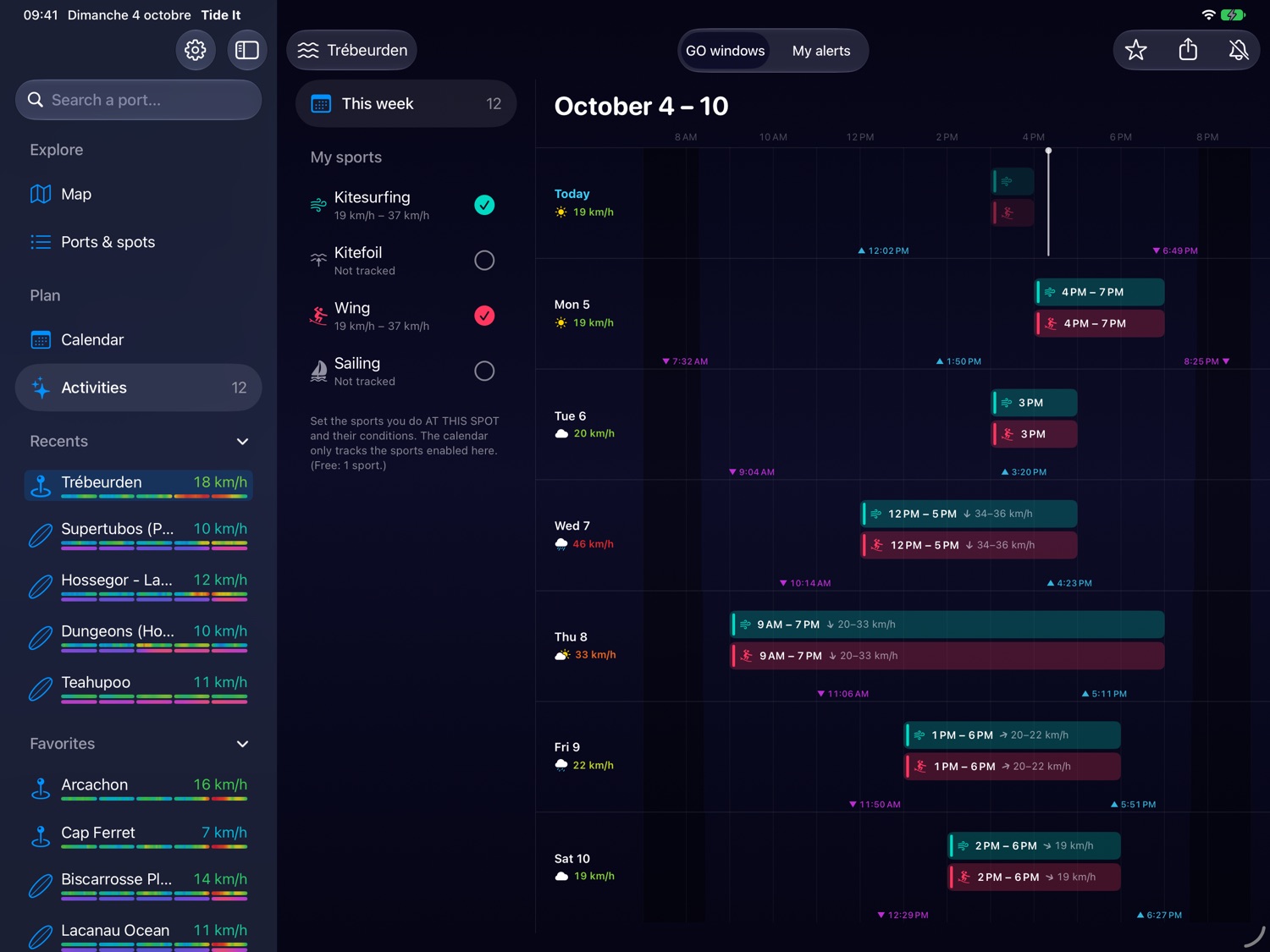
Kitesurfing, kitefoiling, wing foiling, sailing or surfing: Tide It crosses wind, tide, swell and daylight with your skill level, then lays every slot out on the week. Tap a window for the hour-by-hour detail.
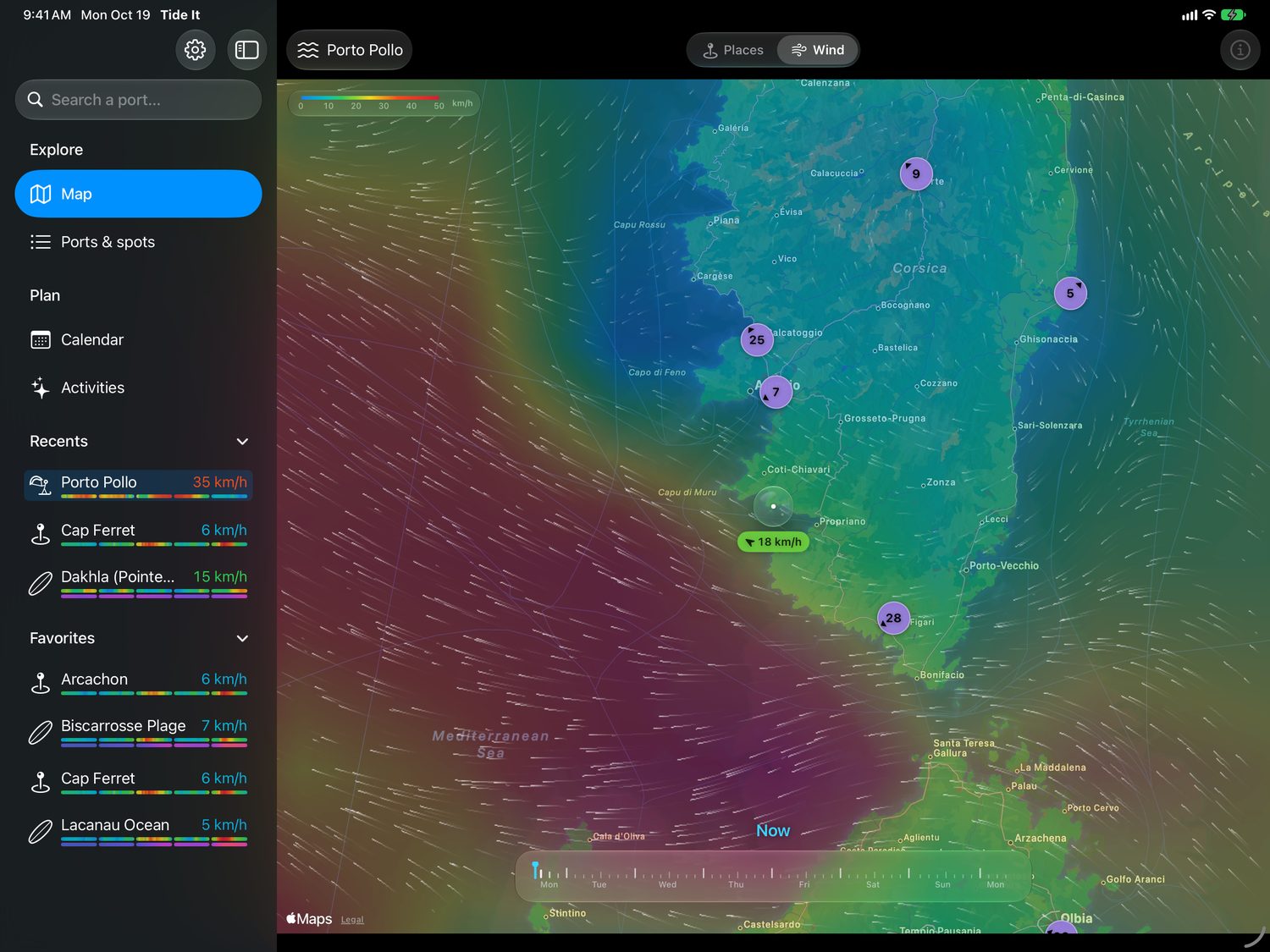
A veil colored by wind strength, trails that flow with it, and a timeline to move hour by hour into next week. Drop the water drop on a spot: it reads the forecast wind right there. Finding the windiest beach of the weekend takes a second.
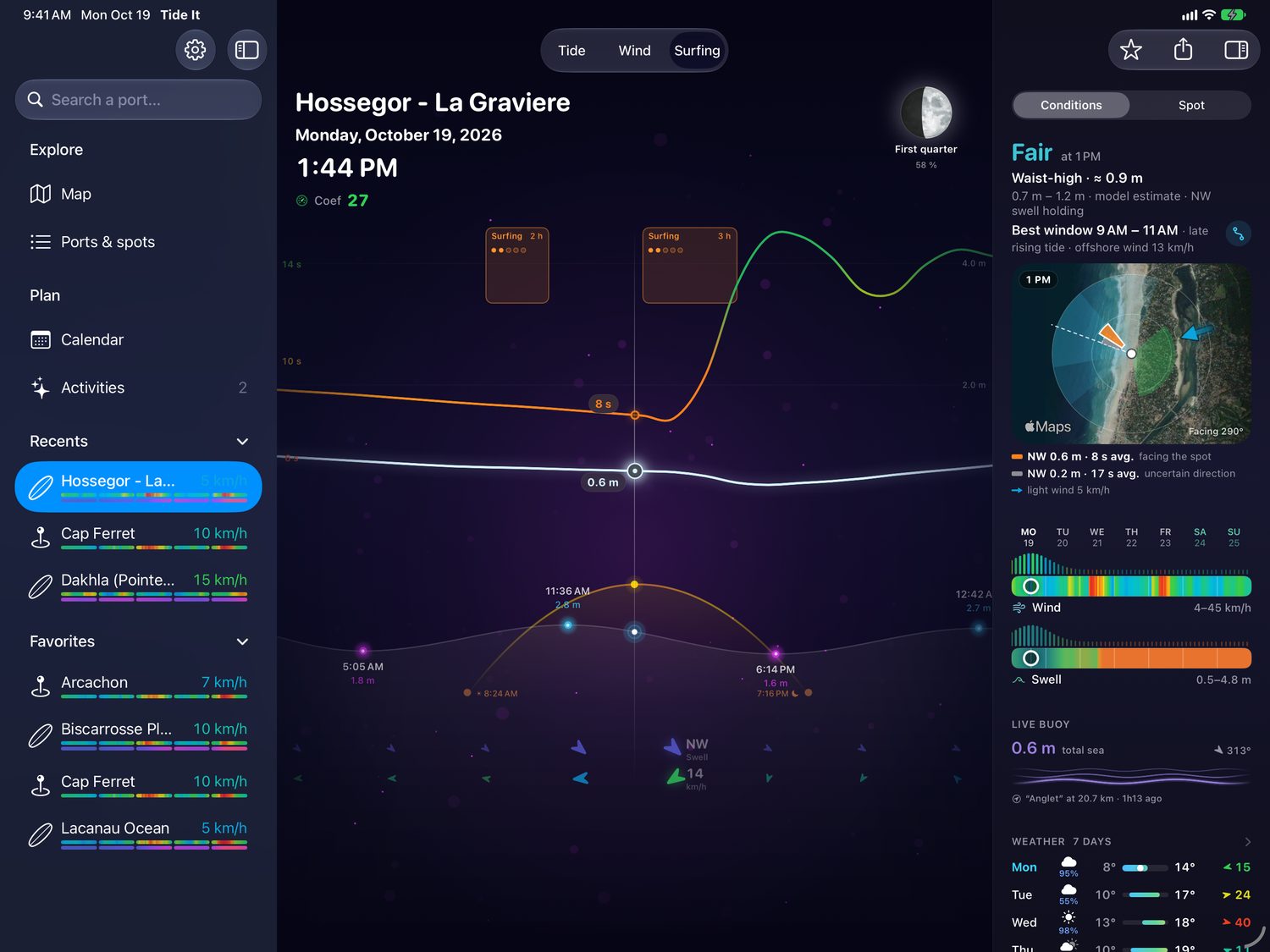
A rating for every hour based on your level, each swell on the satellite view of the spot, and the swell on the tide curve with the best slots. When a buoy is close enough, the measured swell is shown next to the forecast.
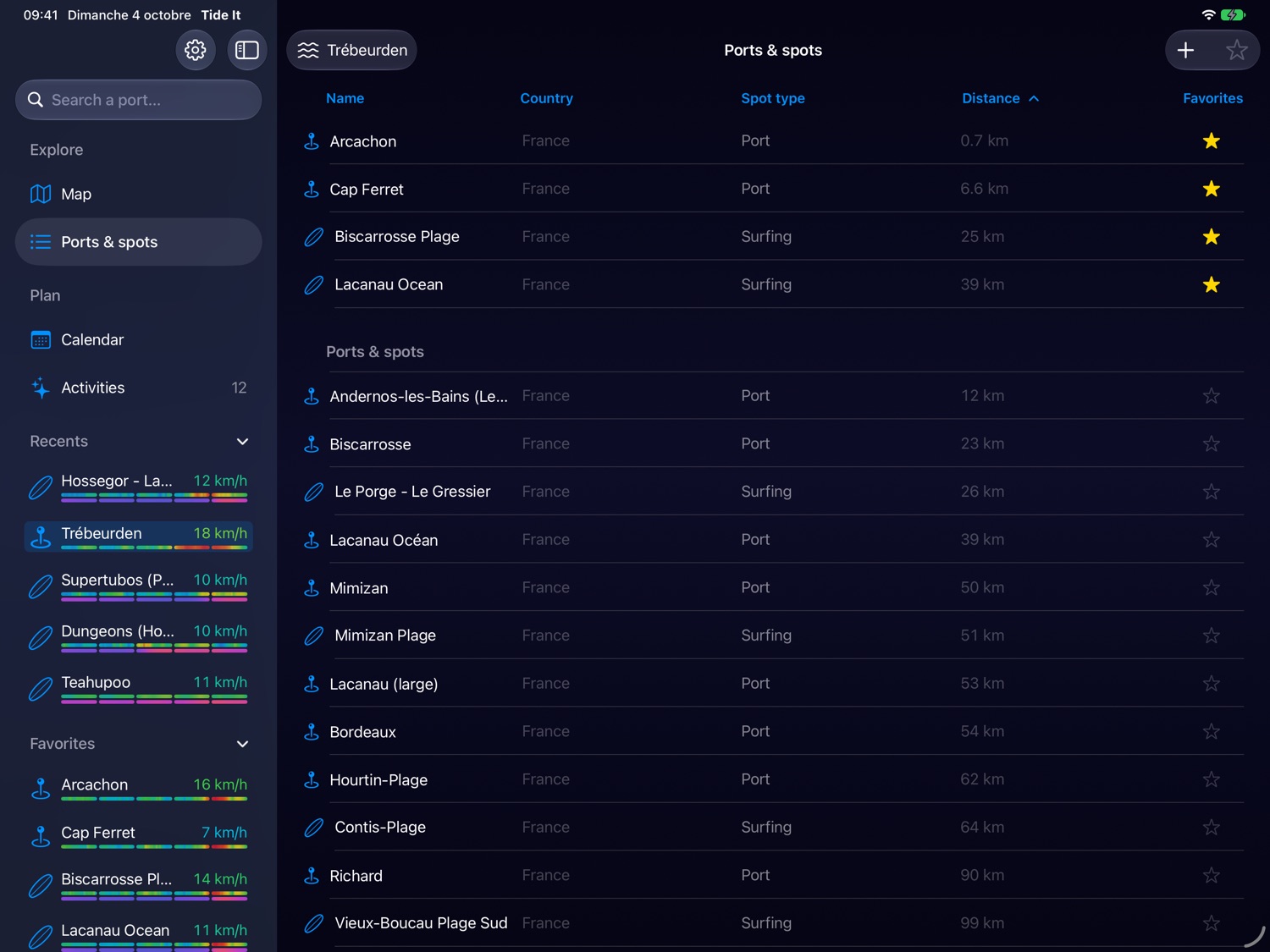
Your favorites first, then every port and spot in the world. Search by name, region or country, star with one tap, and drop your own spot exactly where you ride.
Sidebar, curve in the center, module column on the right: water height, current, today's tides, measured wind and weather.
The curve on top, four modules below. The sidebar slides over when you need it, like in Mail or Notes.
The interface adapts to any window size: next to your messages, your maps or a video of the spot.
Today's tide with its curve and the next four tides, wind and swell, on the iPad Home Screen.
Wind, direction, water height, coefficient, tide time, sun: combine them, and the 7-day preview tells you when the alert would fire.
Animations stop as soon as they are out of sight, and in Low Power Mode. Tides are computed on the iPad, with no connection.
At the club, in the van, at home before you leave: the iPad is the ideal screen to plan a session.
An Android app is in development, with the same curve, the same real wind and the same GO windows. It is not available yet.
Yes. Tides, coefficients, favorites and widgets are free. Premium adds live real wind, the wind map, 7-day GO windows, alerts and the 12-month calendar. The first 15 days are free.
No. It is the same app as on iPhone and Mac: one subscription unlocks all three. Your favorites, custom spots and settings sync through your iCloud.
Every iPad running iPadOS 18.0 or later, in portrait and landscape, with Split View and Stage Manager.
Yes. Tide times, heights and coefficients are computed on the iPad. Only wind, weather and swell need a connection, which is handy on a Wi-Fi iPad by the water.
An Android app is in development. It is not available yet.
Free on iPad, iPhone, Mac and Apple Watch. First 15 days of Premium free.
Download on theApp Store