Real wind, not just a forecast
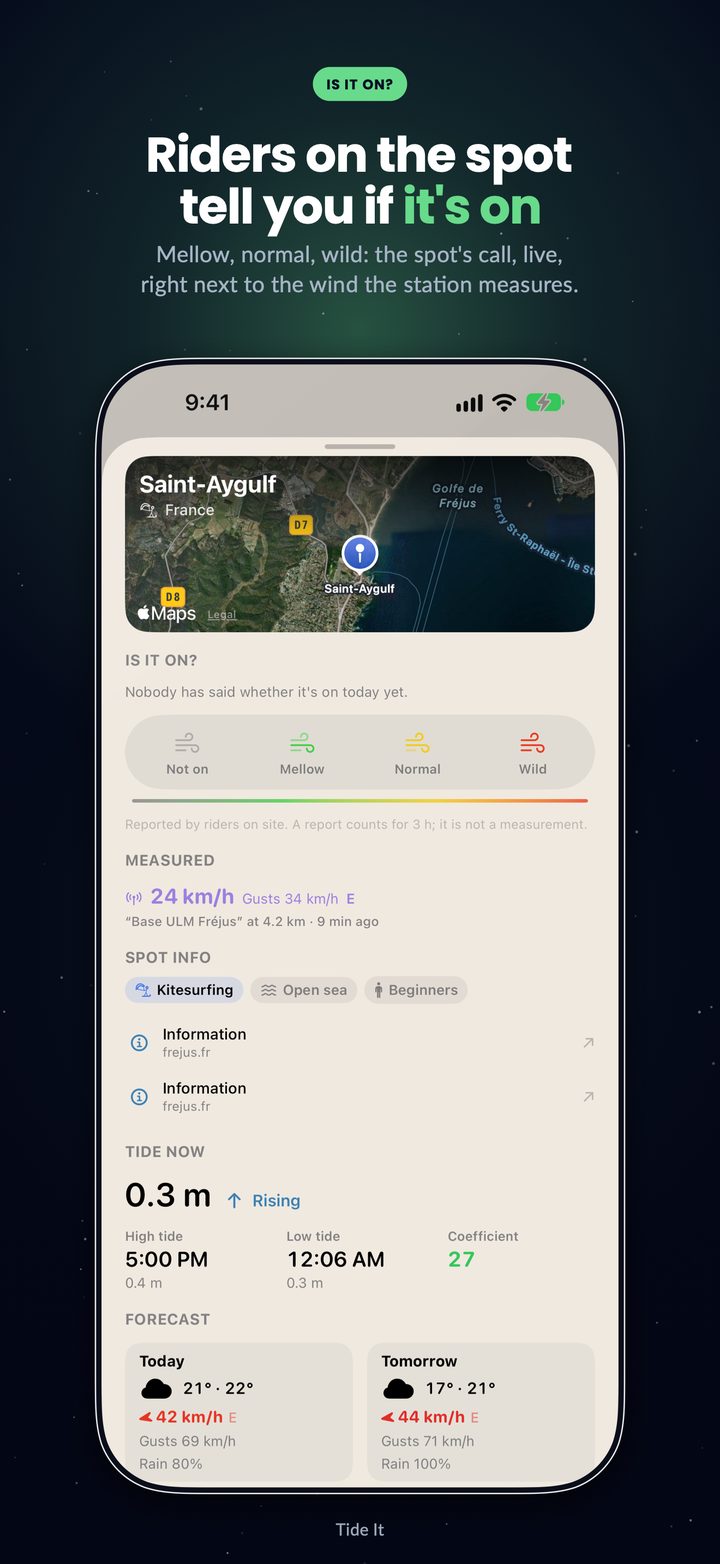
The station closest to your spot: speed, gusts, direction, reading freshness — and the gap vs the forecast, shown without spin. Thousands of stations across France, Europe, the United States, Japan and Australia.
Tide It crosses the tide, the wind measured by the nearest station and the swell to tell you when to hit the water. Kitesurf, wingfoil, sailing, surf.
On Android? Become a tester before the Google Play launch →The wind now comes with a measured verdict:
Steady Irregular Gusty— and it weighs on your GO windows.
No tab-hopping, no mental math: one curve fuses what you used to check across four apps.
The station closest to your spot: speed, gusts, direction, reading freshness — and the gap vs the forecast, shown without spin. Thousands of stations across France, Europe, the United States, Japan and Australia.
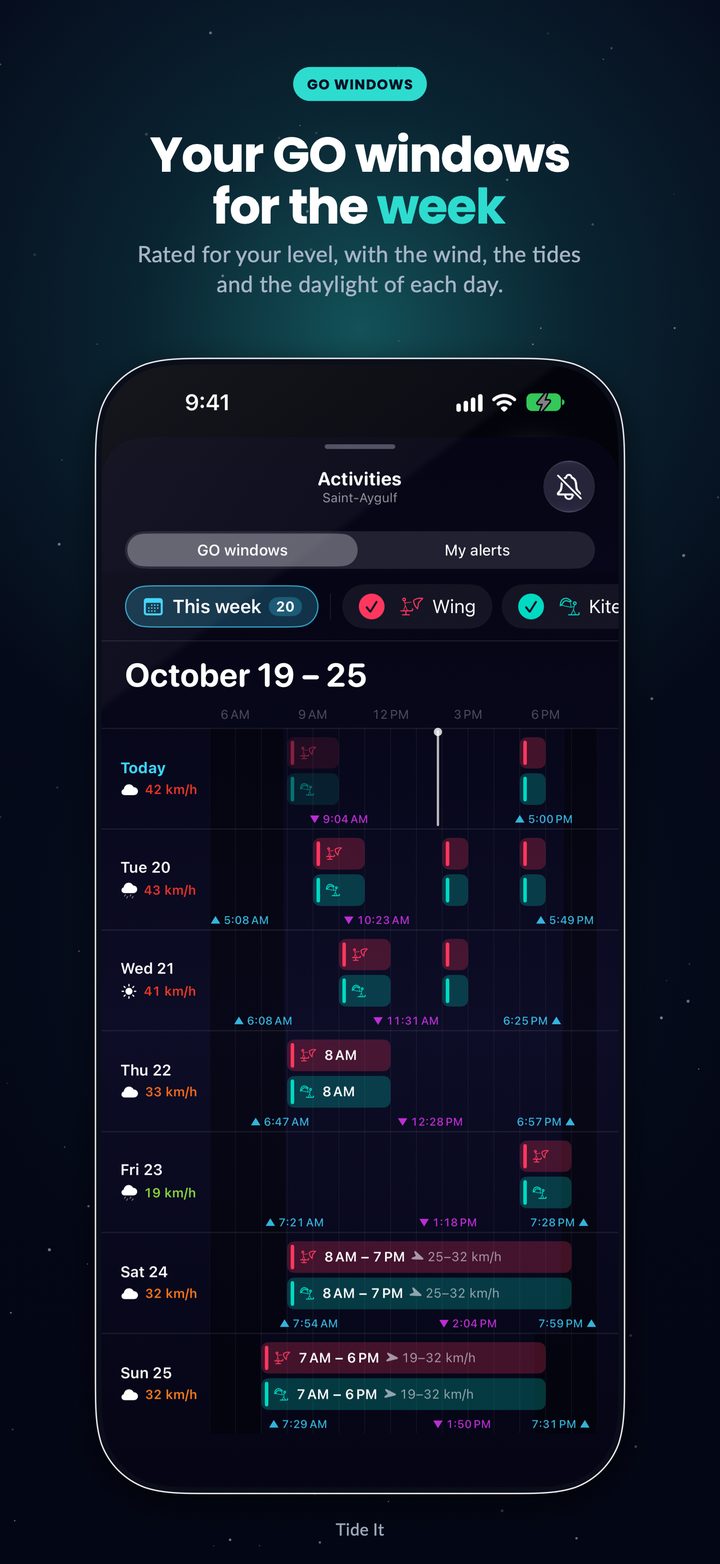
Wind, tide, swell and daylight crossed against YOUR settings and your level. 7 days of slots, rated 1 to 5 stars.
Steady, irregular or gusty: the station's gust-to-average ratio, measured — never guessed. Choppy wind scores lower, just like on the water.
A rating for every hour based on your level, the size in body references and each swell on the spot view. Over 750 surf spots — with your tide underneath.
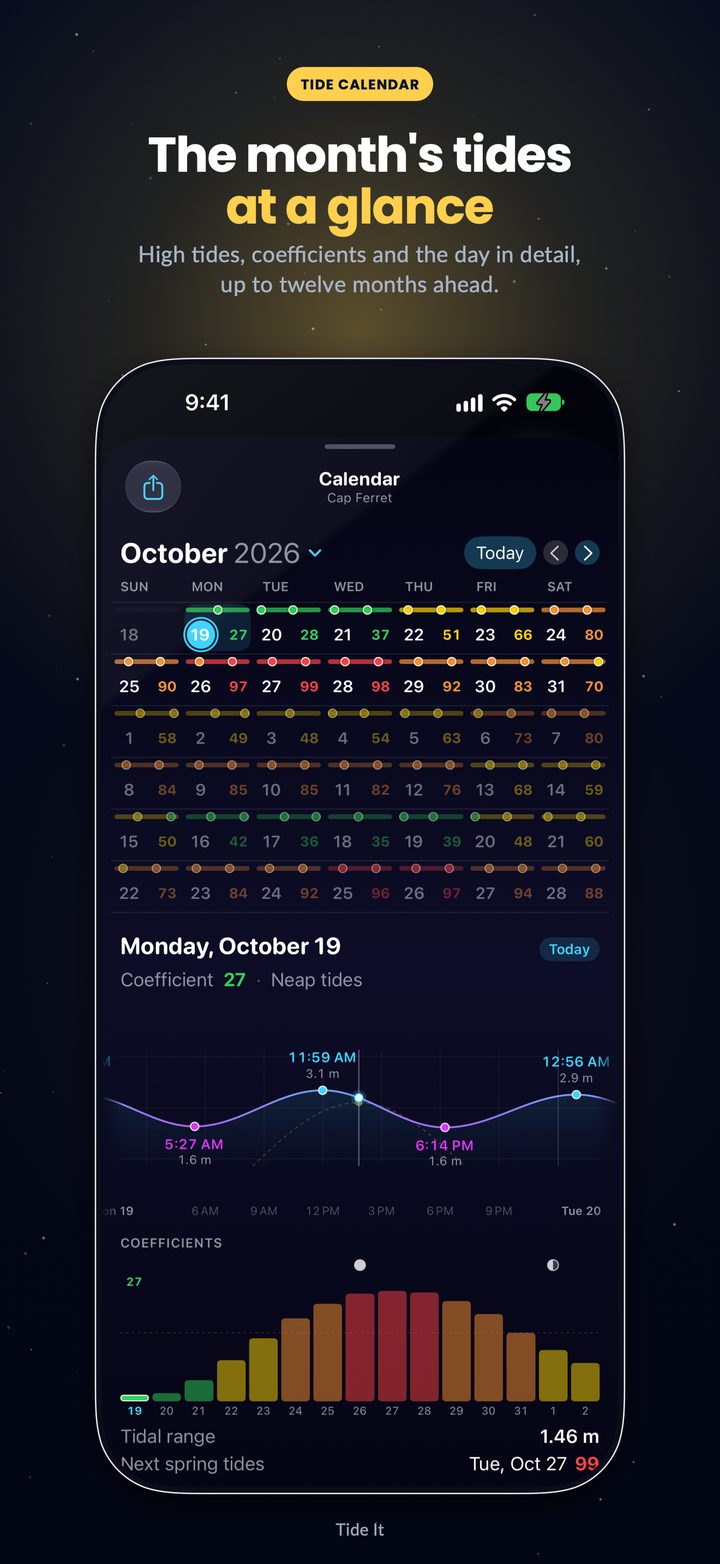
Times, heights, coefficients — computed on-device with harmonic analysis. Available offline, everywhere, with a tide calendar up to 12 months ahead.
Your next tide on the lock screen, your wrist and the Dynamic Island — designed to go easy on your battery.
Many apps smooth, interpolate and fill in the gaps. Tide It does the opposite: what isn't measured isn't shown. We measured why forecasts get it wrong at the water's edge →
Version 6.2 rebuilds Wind mode and Surf mode, and opens Tide It to kite spots around the world. A few seconds of the app, as it is.
Forecast and measured wind on the spot view, a verdict for your sport and your wind range, and your next GO window.
A rating for every hour matched to your level, wave size on the body scale, every swell on the spot view and the best slot of the day.
Seven days of animated wind around you: slide the time and see which coast will be windiest.
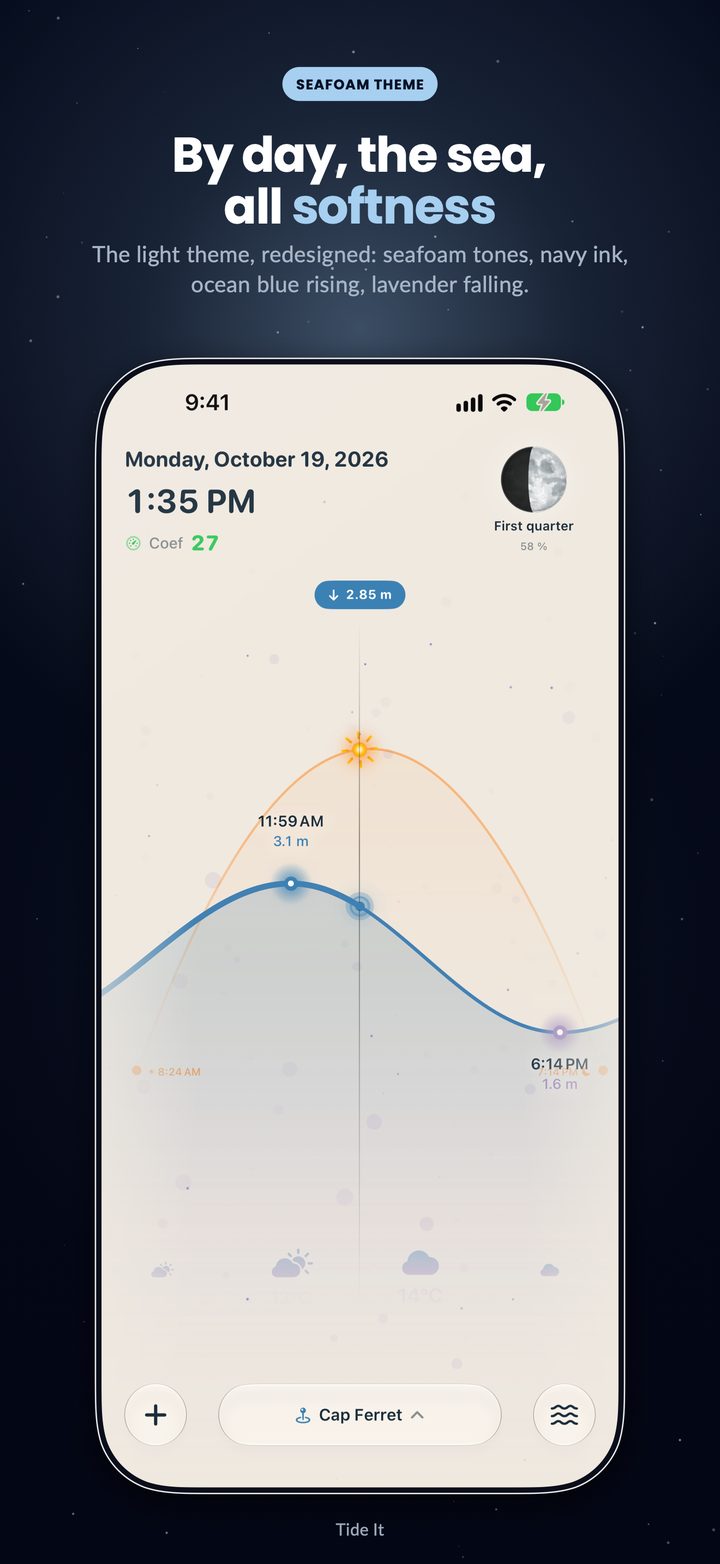
In portrait, everything fits on one screen: the curve, the spot view, the six-hour zoom, the weather and the tide.
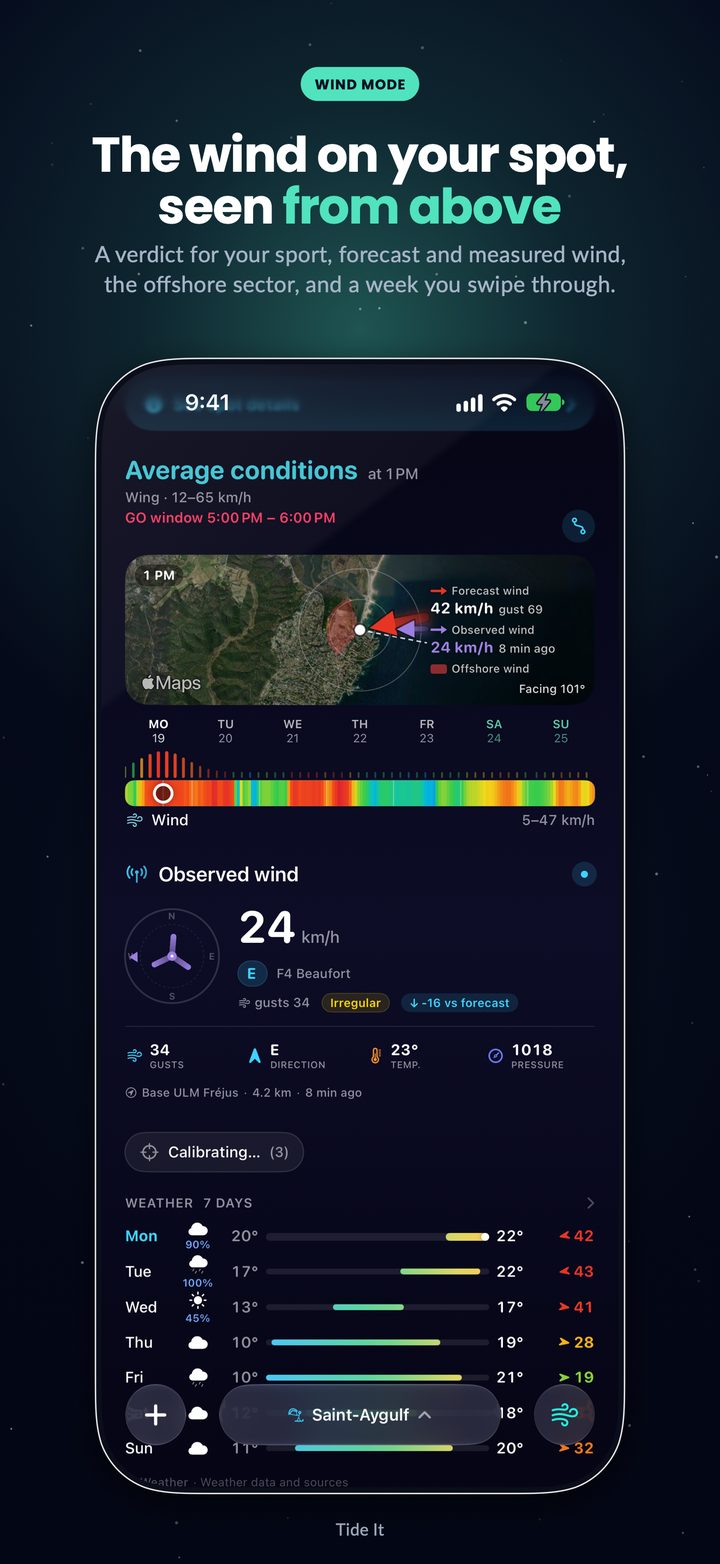
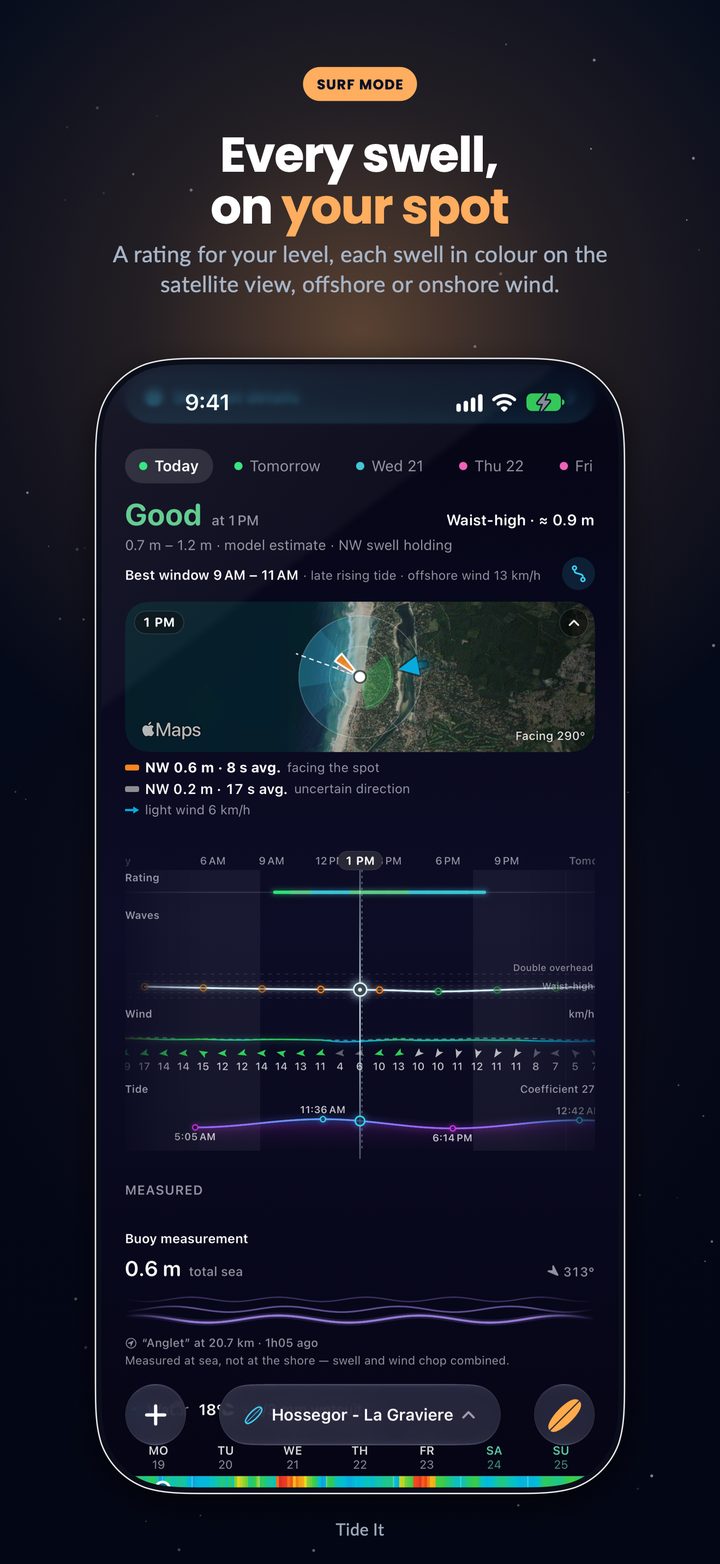
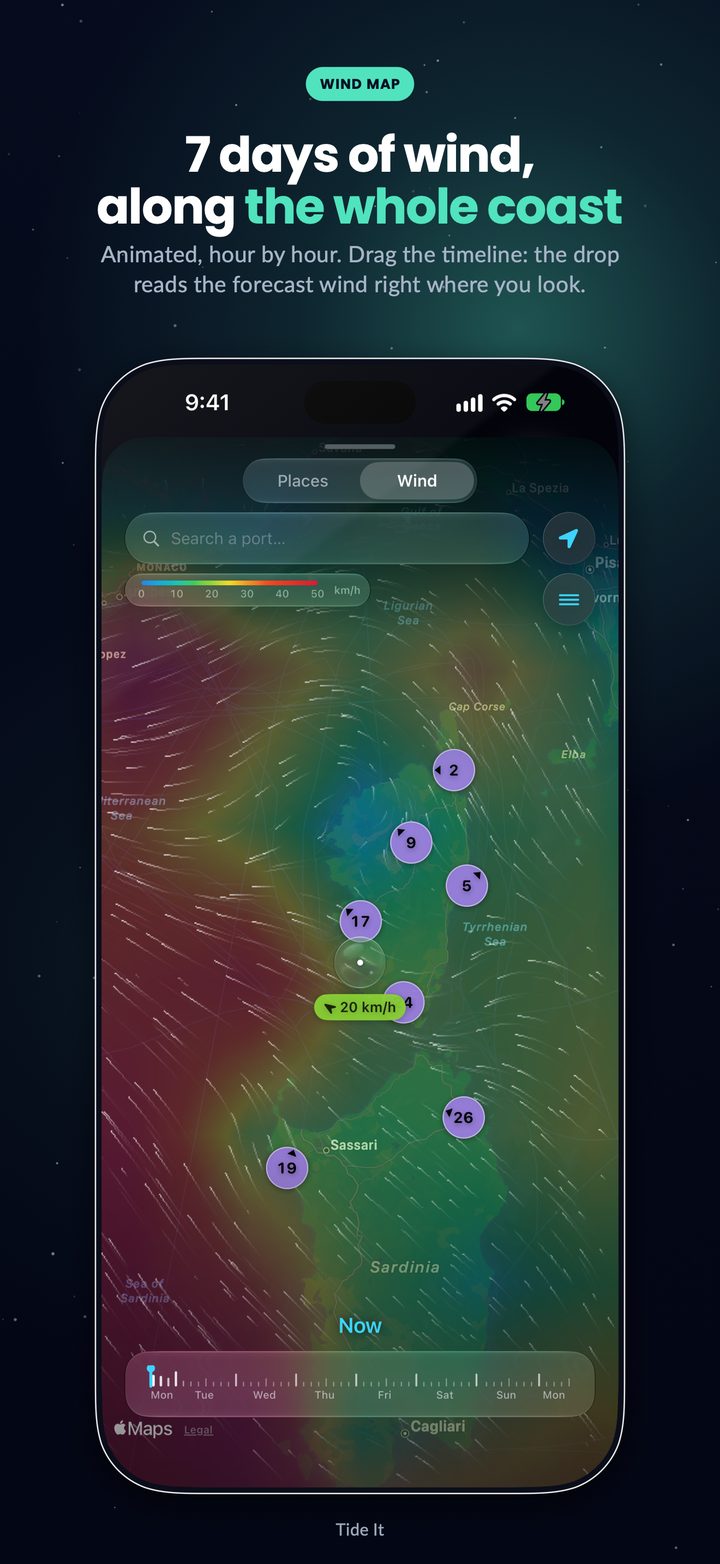
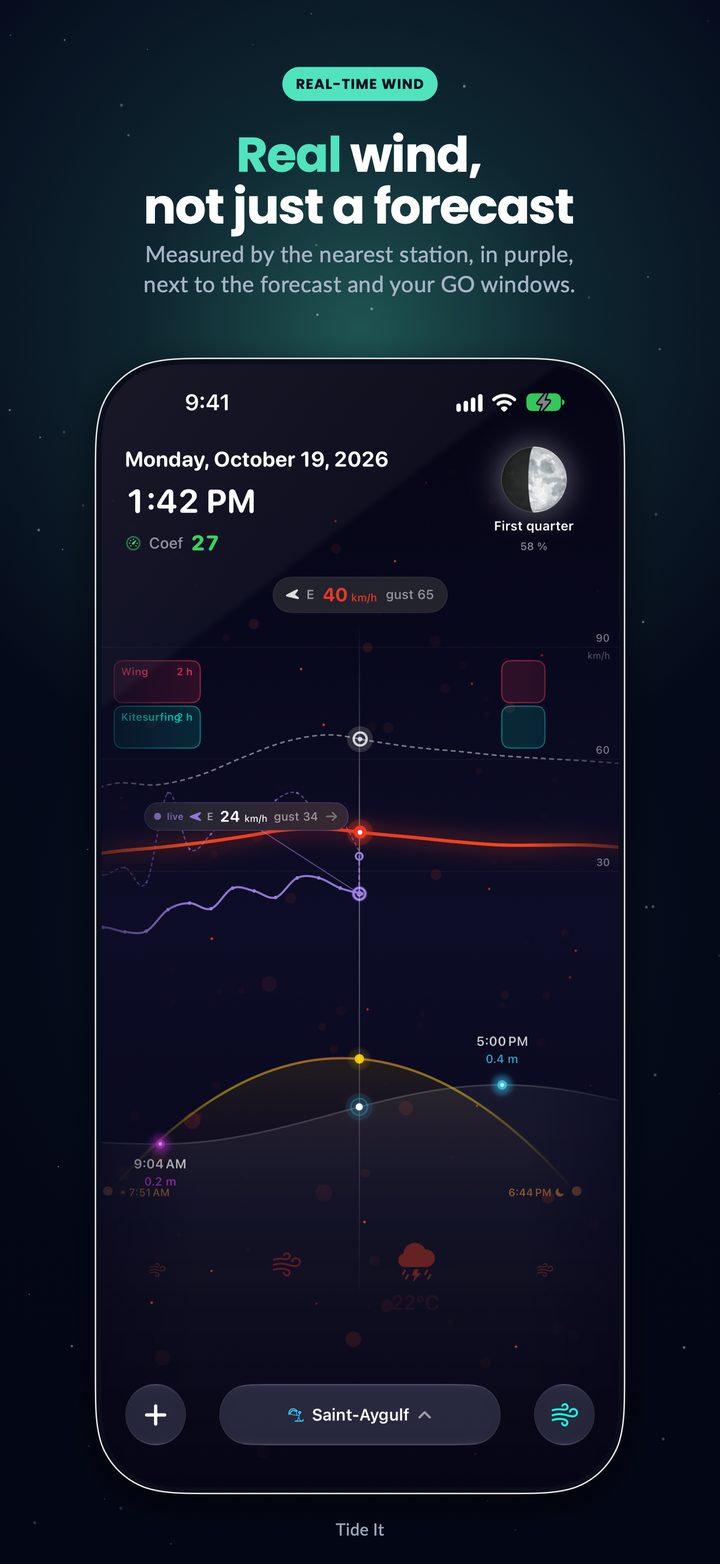
← Swipe →
New in version 6.0: Tide It runs natively on Mac and is designed for iPad. One subscription covers all your devices, and your spots and settings follow you through iCloud. Tide It for Mac · Tide It for iPad
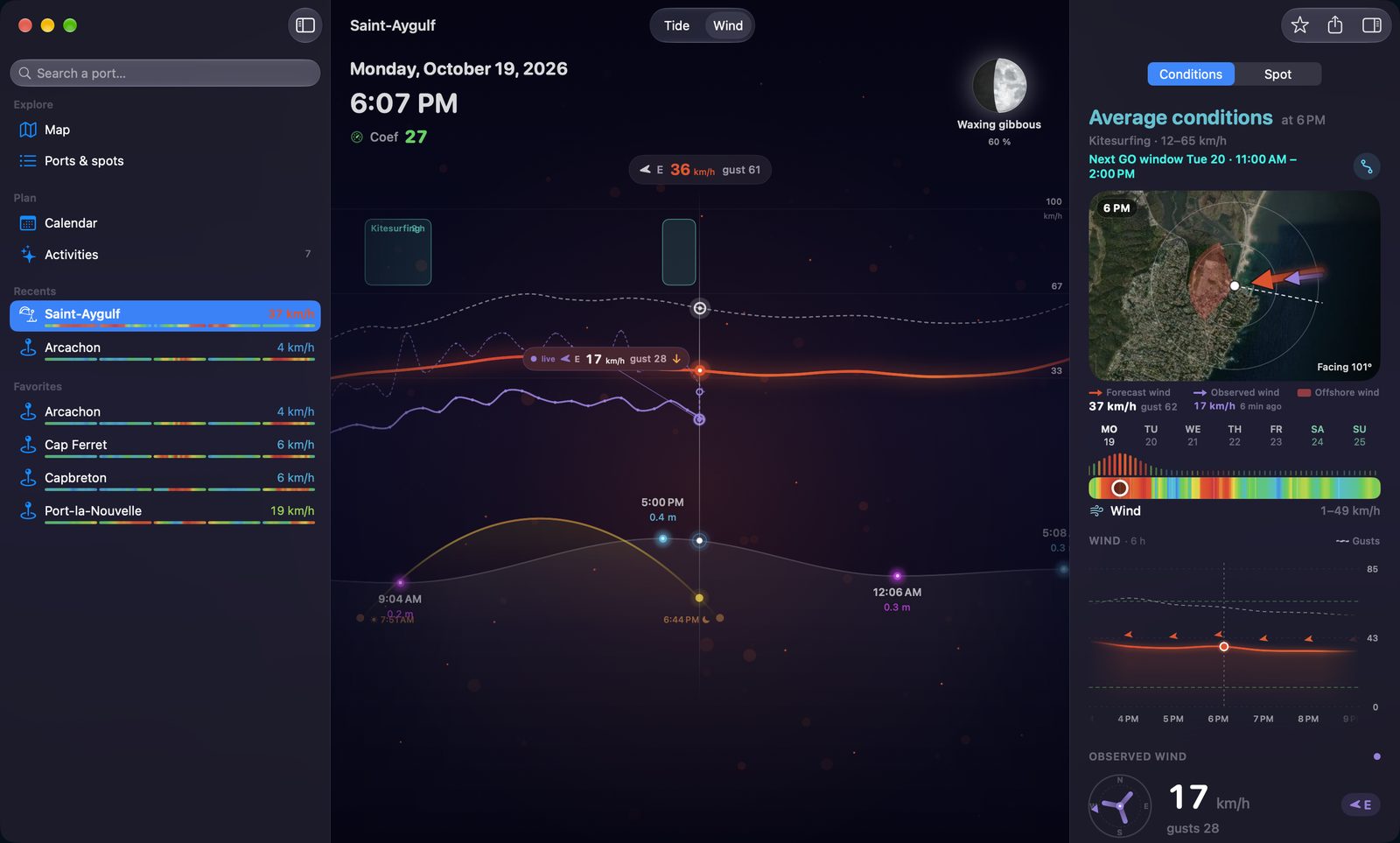
Not the iPhone app on a big screen: a Mac window with a sidebar, the curve across the window and the day's details beside it. Press and hold the curve to read any hour; scroll it with the trackpad or drag it with the mouse. Discover Tide It for Mac →
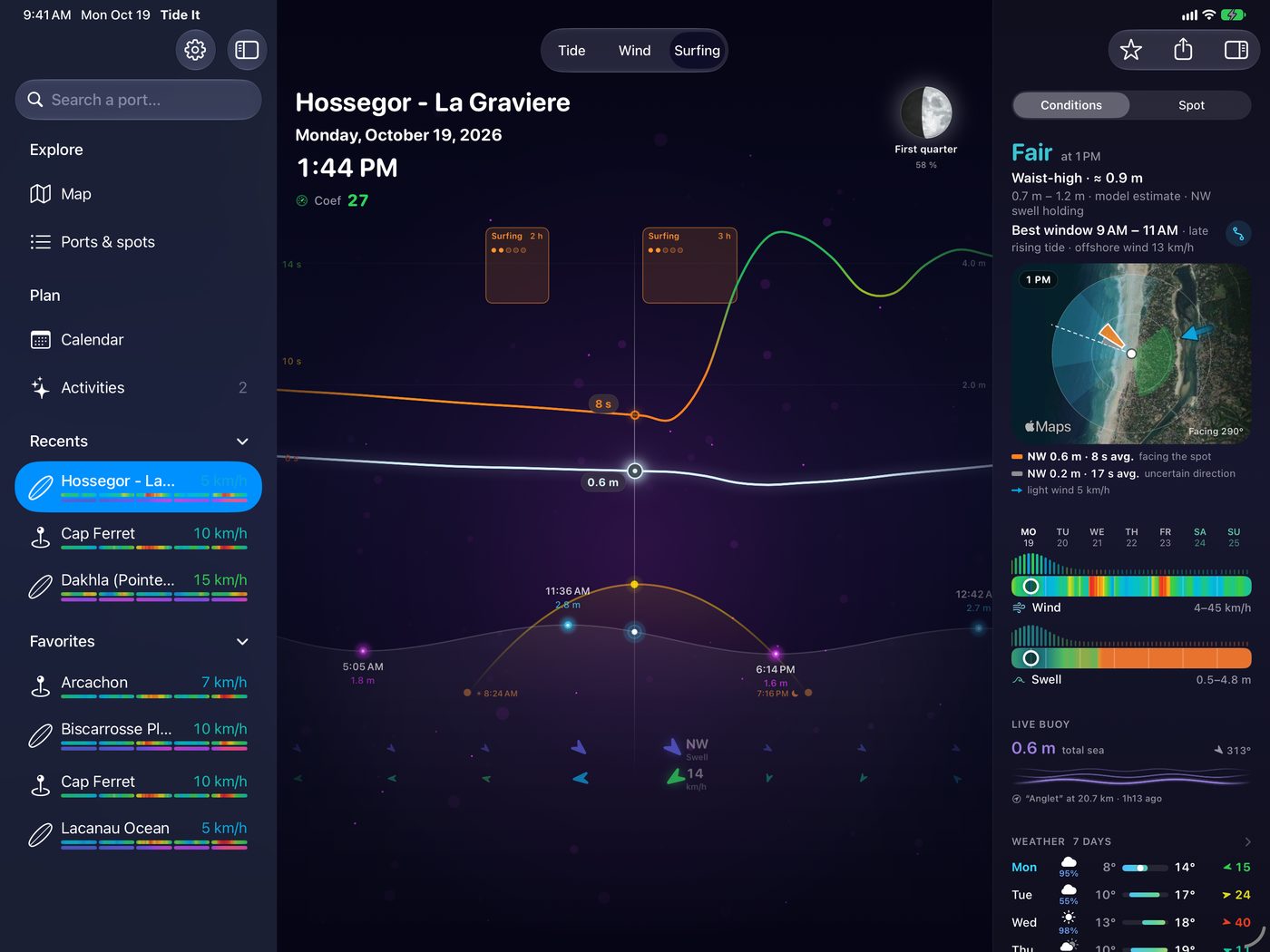
In landscape, the Mac window: your spots on the left, the curve in the middle, and on the right what the mode calls for — wind, surf or tide. In portrait, a dashboard. Discover Tide It for iPad →
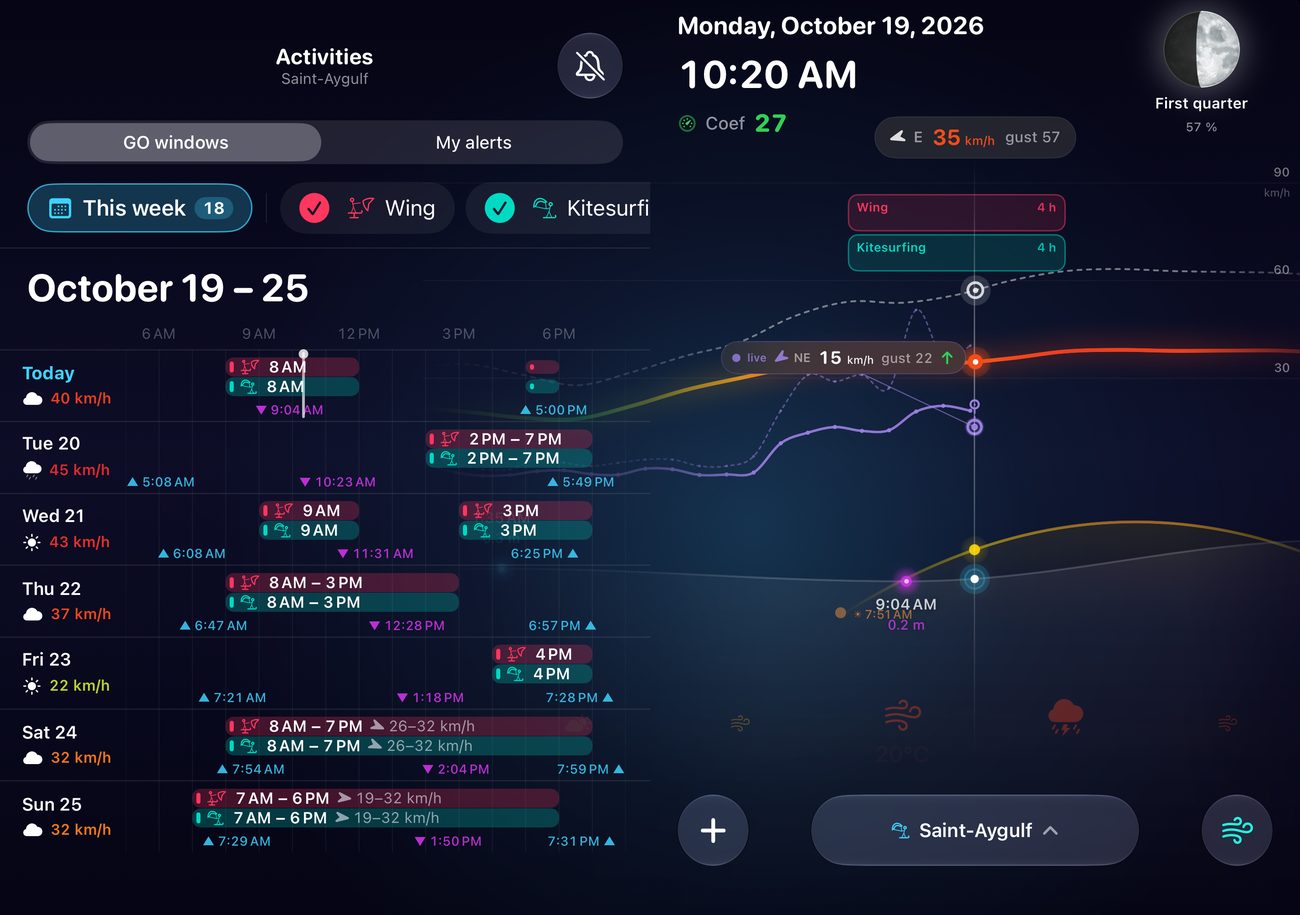
Closed, the whole outer display. Open, your calendar, spots or GO windows on the left — and the tide curve slides under them, fading at the fold.
The Android app is being tested before its Google Play launch, with the same curve, the same real wind and the same GO windows. Become a tester →
Tide It shows two distinct winds: the weather-model forecast, and the wind actually measured by the anemometer station closest to your spot — speed, gusts, direction and the age of the reading. The two are never silently blended. Detailed attribution of the measurement networks lives in the app (Settings ▸ About).
A slot where conditions match your sport and your level: wind in your range, enough water depth, safe direction, swell and wind steadiness taken into account. Computed over 7 days, rated 1 to 5 stars.
Yes. Tides are computed on-device and stay available offline. Only wind, weather and swell need a connection.
Tide It covers 3,500+ ports and over 2,100 kite, wing, windsurf and surf spots in 82 countries. If yours is missing, create a custom spot at your exact position — it gets its own tide, wind and GO windows.
None of the three. No ads, no ad SDK, no third-party analytics, no account to create. Your settings stay on your device (and your personal iCloud for sync).
At install, Premium is activated free for 15 days, with no commitment and no payment method required. When it ends, the app automatically returns to the free tier — nothing to cancel.
Yes, since version 6.0: a native Mac app (macOS 26 or later) and an interface designed for iPad. It is the same app: your Premium subscription works on all your devices, and your spots and settings sync through your iCloud. Tide It for Mac · Tide It for iPad
Yes, since version 6.1. Closed, the app fills the whole outer display; open, the tide stays on the right and the map, your spots, the calendar or your GO windows appear on the left.
The Android app is being tested before its Google Play launch. Become a tester: all you need is an Android phone and a Google account.
No. Tide It is a decision aid for water sports and leisure. For navigation, always refer to official documents and bulletins from maritime authorities.
Free on iPhone, iPad, Mac and Apple Watch. First 15 days of Premium on us.
Download on theApp Store