Know when the swell reaches your spot, count your waves on your wrist, and replay the best one.

Session recording, on the watch and on the phone, is in beta.
Record your session and relive it on the map, with the measured wind when a station records it: free. Or import it from your GPS watch →
Where to surf, month by month: seasons of the big destinations →
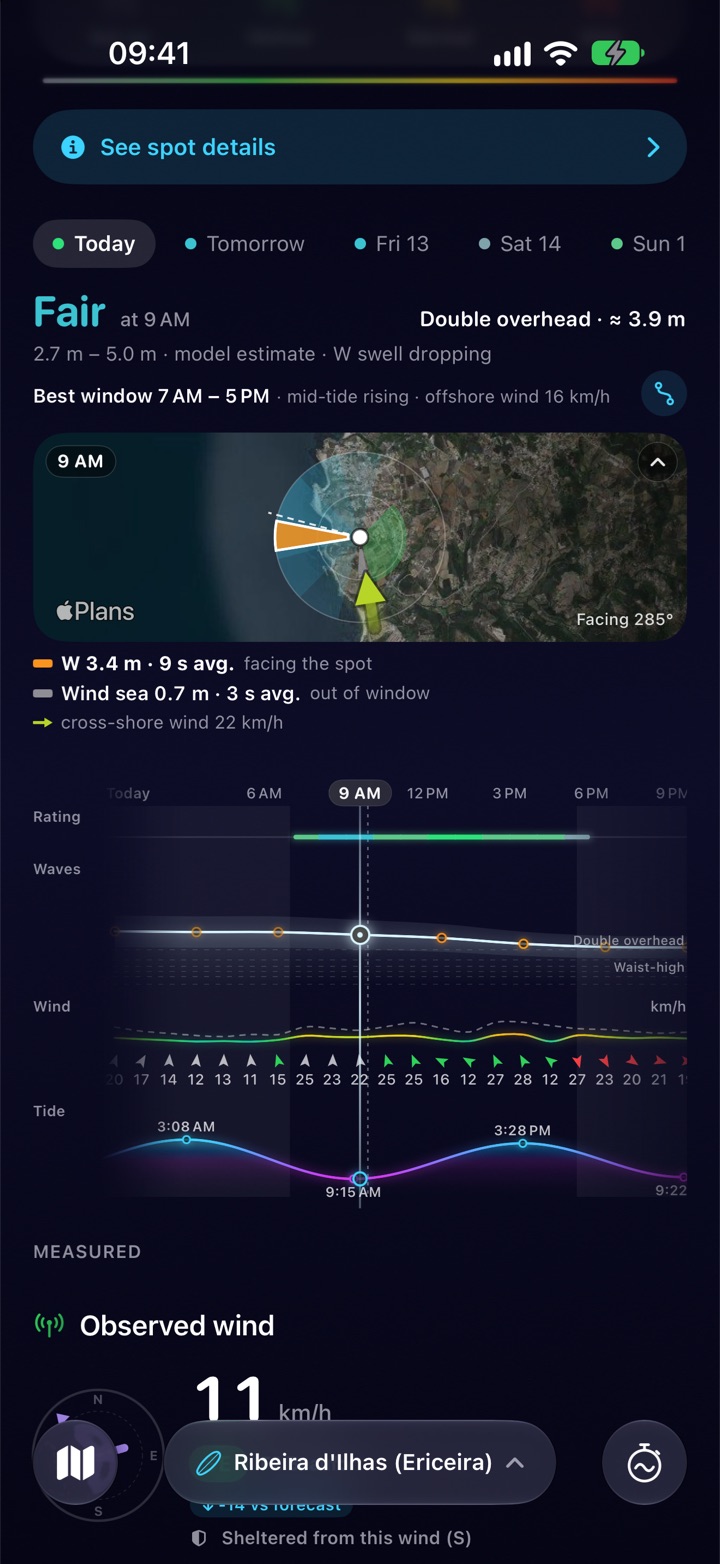
Surf mode keeps the swell that actually arrives at your spot, gives its period and the size at the shore in body heights, and the wind: offshore, cross-shore or onshore. Bodyboarding GO windows have their own swell rule, from 0.5 m and 7 seconds by default, which you set to your liking. Premium.

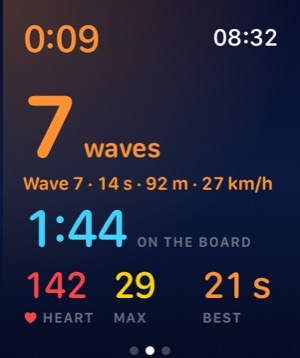
The Apple Watch wave screen shows your wave count in big, and at the end of each one its duration, length and speed. Plus your time on the board and your heart rate.

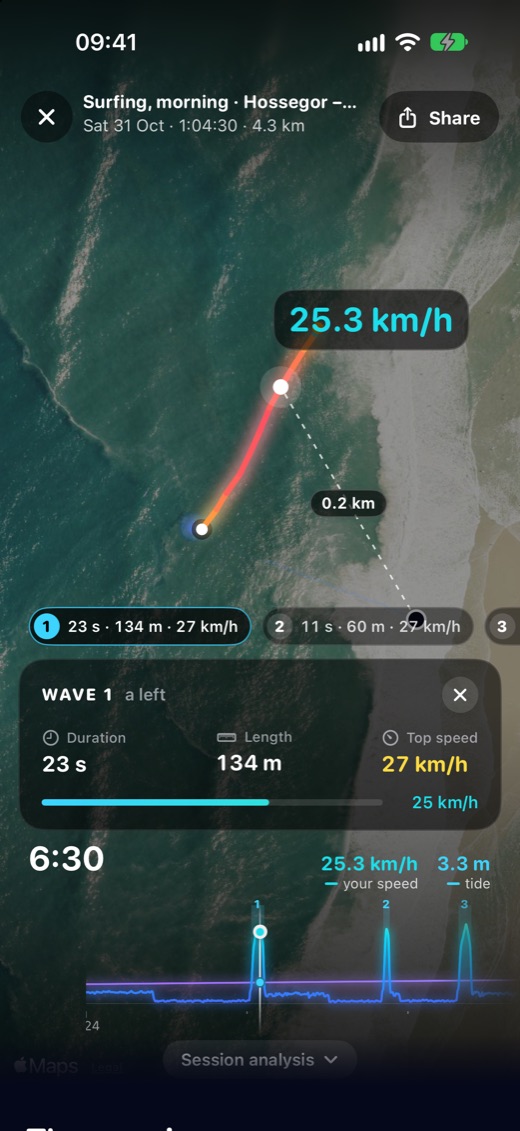
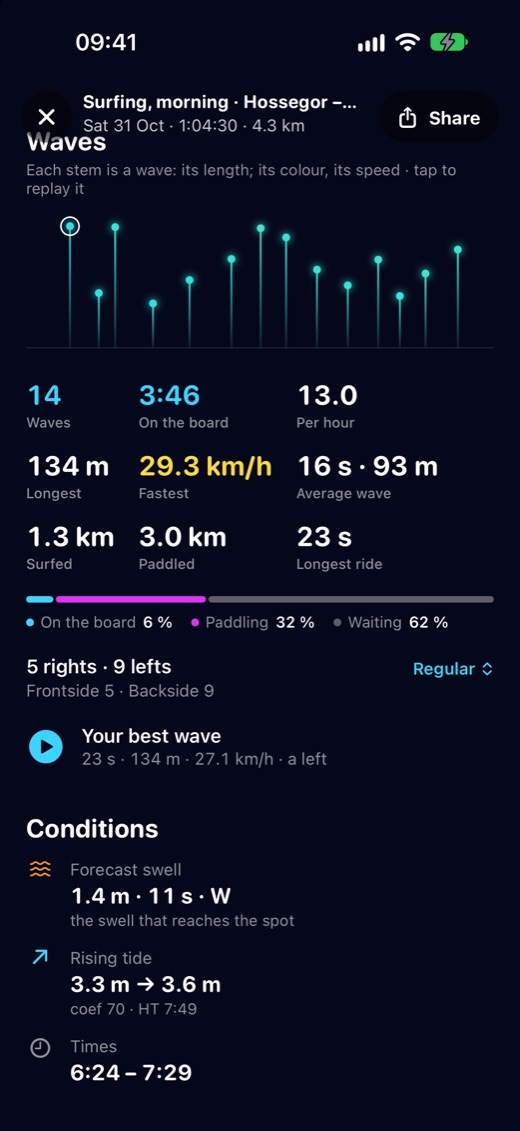
Tap a wave: the map zooms in and replays it, coloured by its speed. With Premium, the detail of every wave: time on the board, paddling and waiting, rights and lefts, your longest ride, and the swell forecast during your session.


By default, Tide It opens a GO window from 0.5 m of swell and a 7-second period, on the swell reaching your spot. You set these thresholds in the bodyboarding settings.
Both are followed together, each with its own level and swell rule. You start a session with the sport of the day on the watch or the iPhone.
A wave starts when you head for the beach above 10 km/h and lasts at least 3 seconds. Tide It keeps its duration, length and speed.