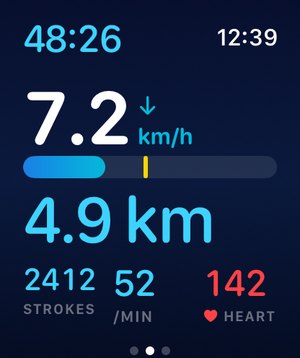
Head out when the wind drops and the sea is flat, count your strokes on your wrist, and look back at your outing.

Session recording, on the watch and on the phone, is in beta.
Record your session and relive it on the map, with the measured wind when a station records it: free. Or import it from your GPS watch →
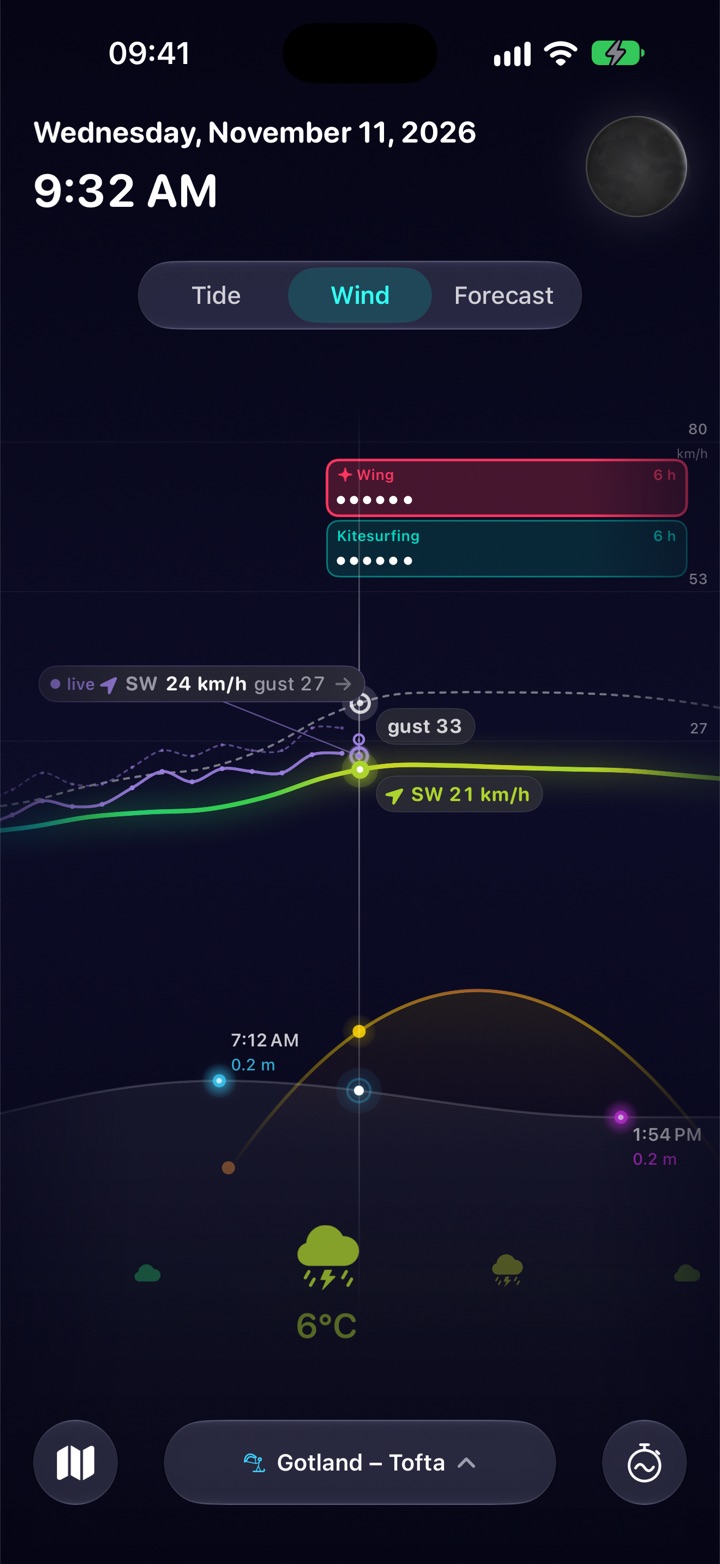
On a paddleboard you're looking for calm: standing up, you catch a lot of wind. By default, a GO window opens below 15 km/h of wind and 0.6 m of waves, two thresholds you set to your liking. The Today curve shows the wind hour by hour next to the tide.

Start the session on your Apple Watch: it counts your paddle strokes, your strokes per minute and your heart rate. It starts on its own when you pick up speed.

Relive replays your track with the wind that was blowing, for free. Your distance, time, strokes and stroke rate are waiting on the end screen and in the story you share.
By default, Tide It suggests the hours below 15 km/h of wind and 0.6 m of waves. You change these thresholds in the paddle settings.
It recognises the paddle stroke from your wrist's movement, and counts nothing when you're stopped.
Turn it on in Settings ▸ My activities: it then shows up in the GO windows and on the watch.