Tide It 7 · open beta

Your session, relived with the wind that actually blew.

Tide It could already tell you what's coming: the tide, the forecast wind, the real wind from nearby stations, the swell. Tide It 7 remembers what you did, and connects the two.

Join the beta →

iPhone on iOS 18 or later · 50 spots, no sign-up · How it works
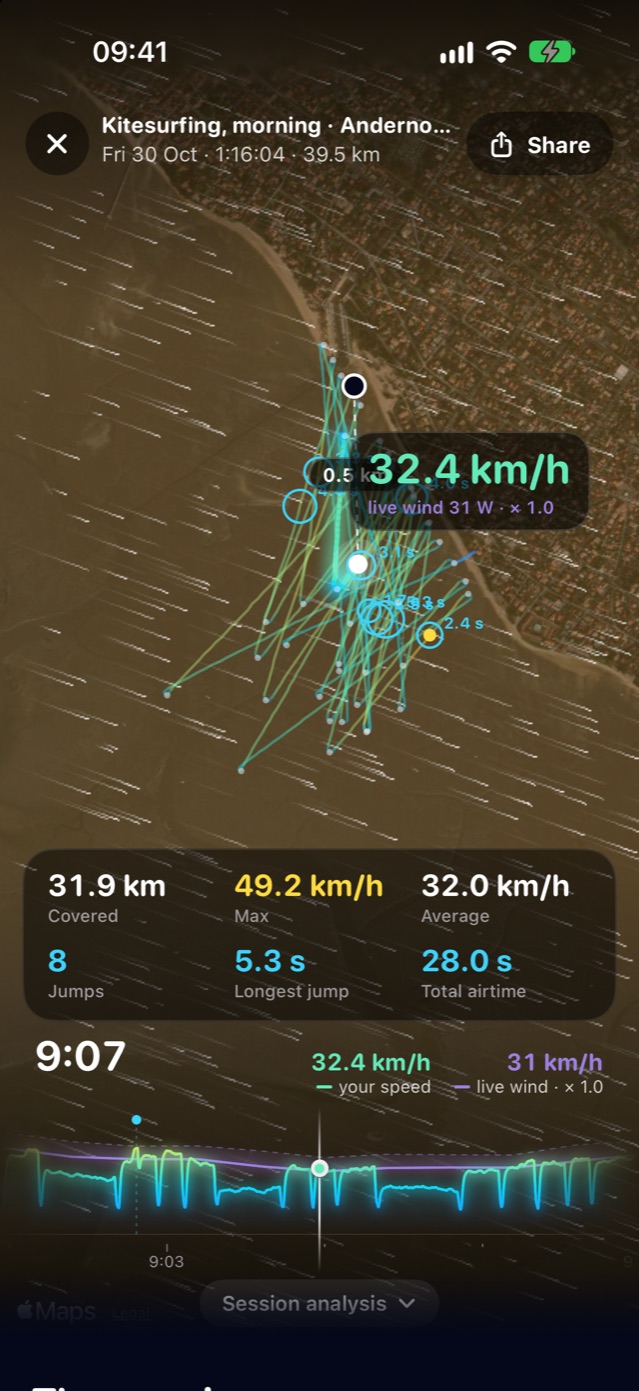
Relive: a kitesurf session's track on the satellite view, the real wind animated around it, speed and wind in the same bubble
Prepare.Your sport's wheel, the real and forecast wind, the tide, the gear from your quiver.
Ride.Your iPhone or Apple Watch records on its own: start, breaks, return.
Relive.Your track, your speed against the real wind, your records, your story.
Before you go

One wheel, your sport, and everything ahead.

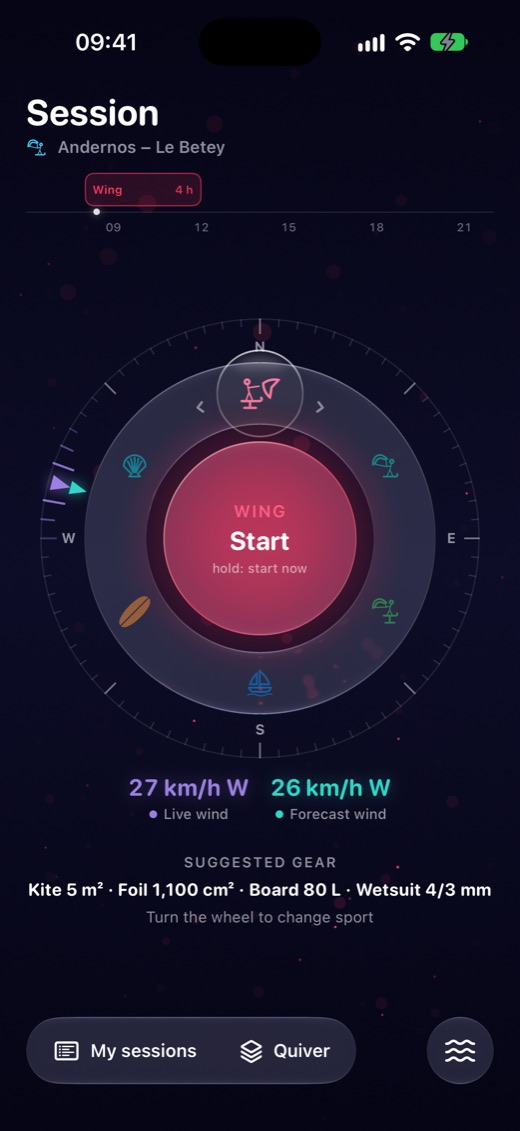
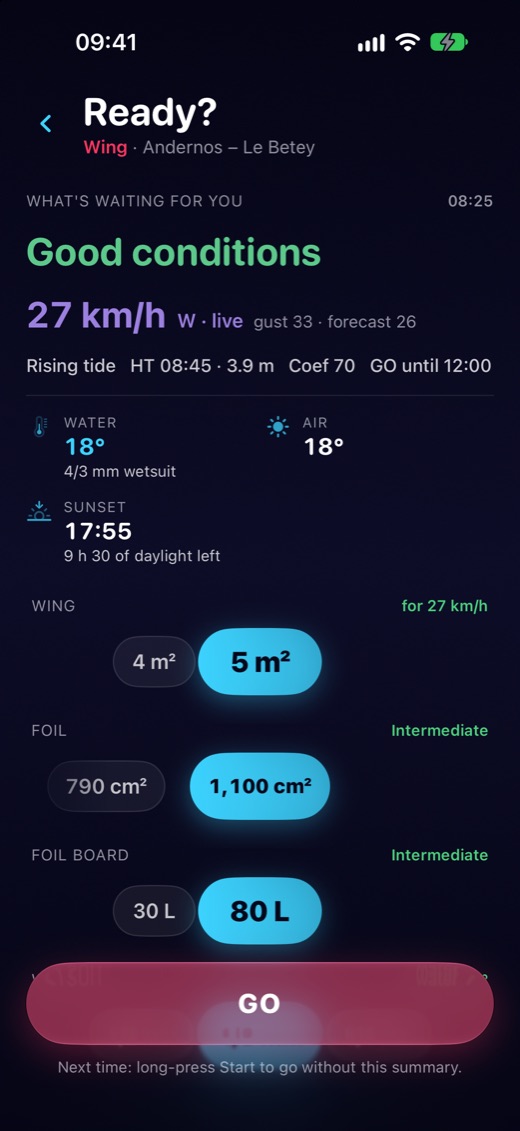
Pick your sport with a flick: wing, kitesurf, kitefoil, windsurf, surf or foraging at low tide. Around it, the station's real wind and the forecast; above it, today's GO windows for your level. "Ready?" gives you the tide, the water and which wetsuit, the light, and the wing, foil and board from YOUR quiver for this wind.

The sports wheel, with the real and forecast wind around it"Ready?": tide, water, wetsuit and suggested gear
On the water

GO, that's it.

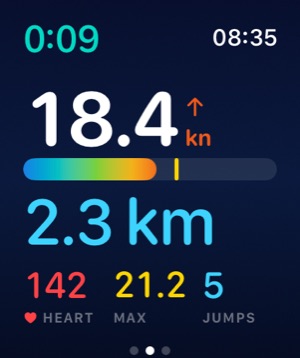
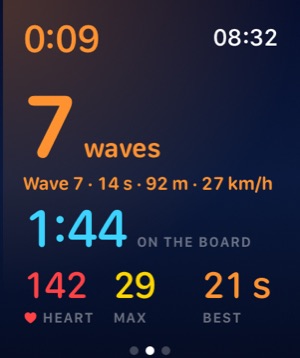
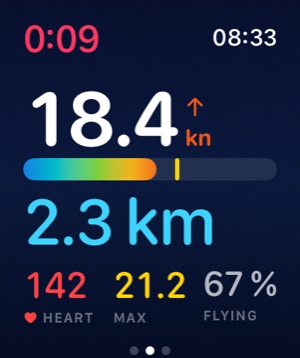
The session starts when you move on the water and pauses when you stay ashore. A session is never lost. On the Apple Watch, one screen per sport: your speed and your spot record in kite, time in flight in wing and foil, planing in windsurf, every wave in surf. And the way back to your start, with the tide coming in, when foraging at low tide.

Apple Watch: speed and spot record in kiteApple Watch: every wave in surfApple Watch: time in flight in wing
Back ashore

Your records in gold, your story ready to post.

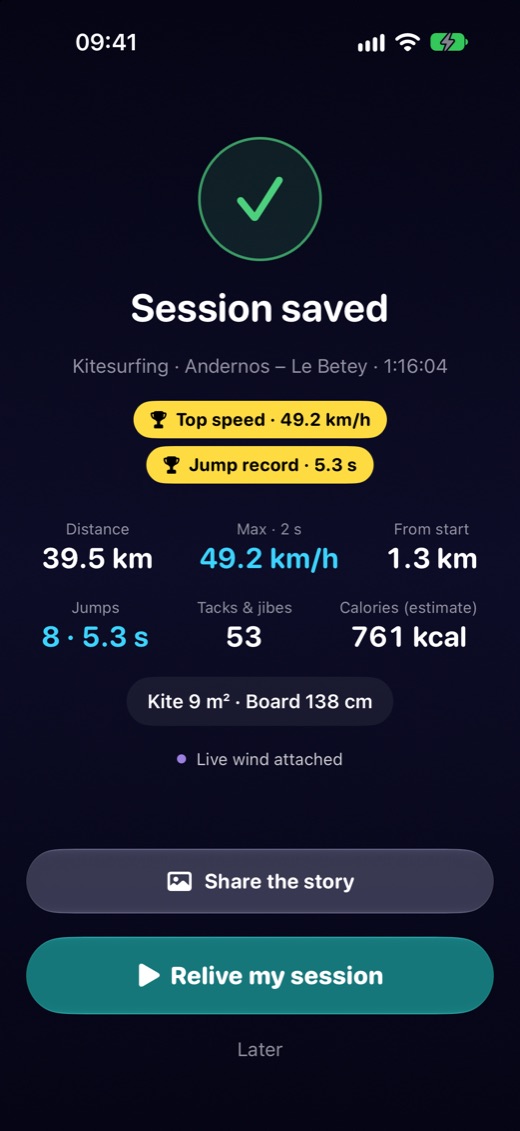
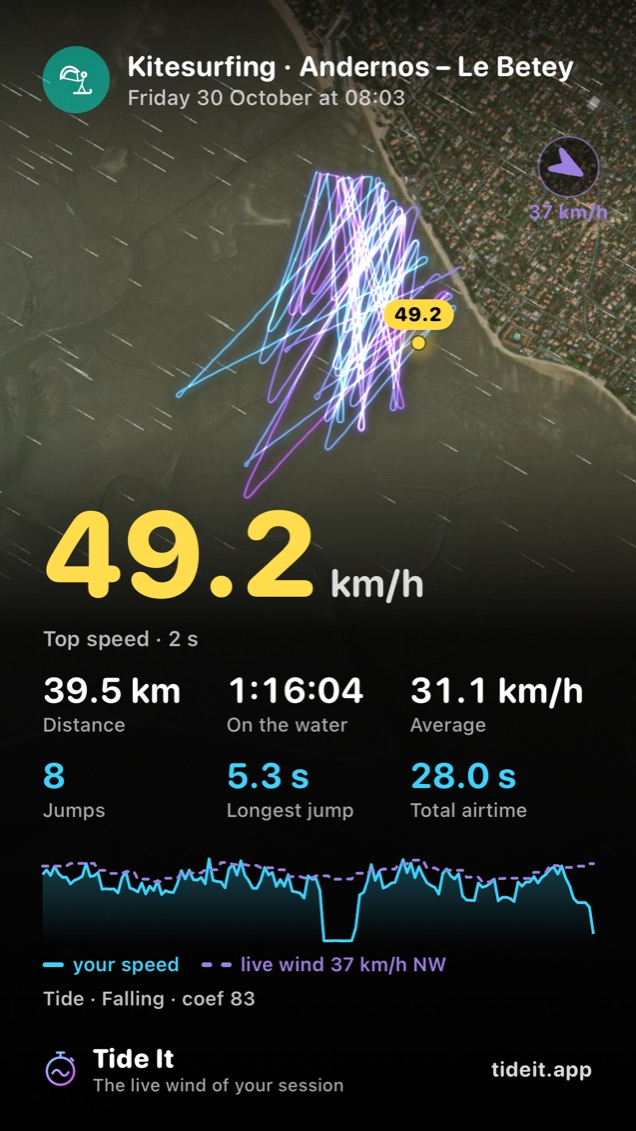
As soon as the session ends: the records you beat, counted against your sessions in the same sport. One tap and your story goes to Instagram: your track, your top speed in big, the real wind. Start and finish are hidden: your parking spot stays yours.

End of session: records beaten, in goldA kitesurf session's story, ready to post
Relive

Relive your session minute by minute.

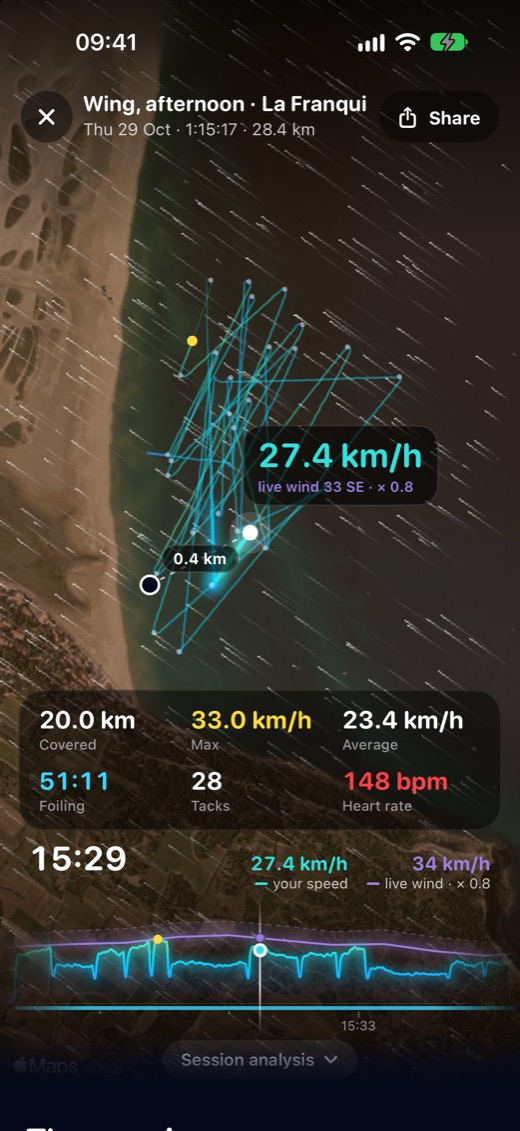
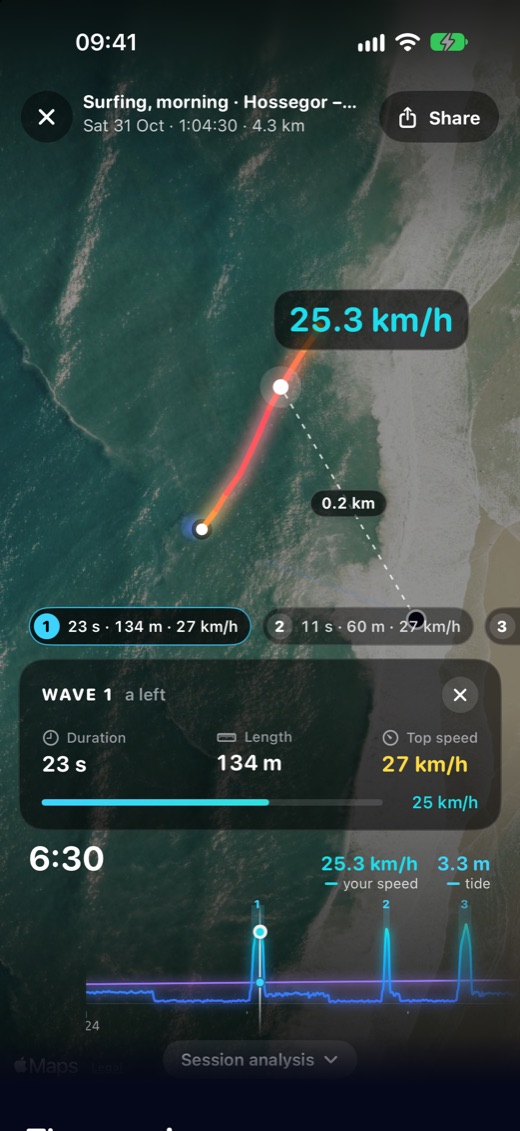
Your track lights up over time on the satellite view, with the real wind animated around you. Scrub through time: your speed and the wind in the same bubble, every tack, every jump. In surf, each wave is numbered on the peak, and a tap replays it with its card: a right or a left, its duration, its length, its speed.

Reliving a wing sessionIn surf, a wave replayed with its card
The analysis

Everything you want to know when you get out of the water.

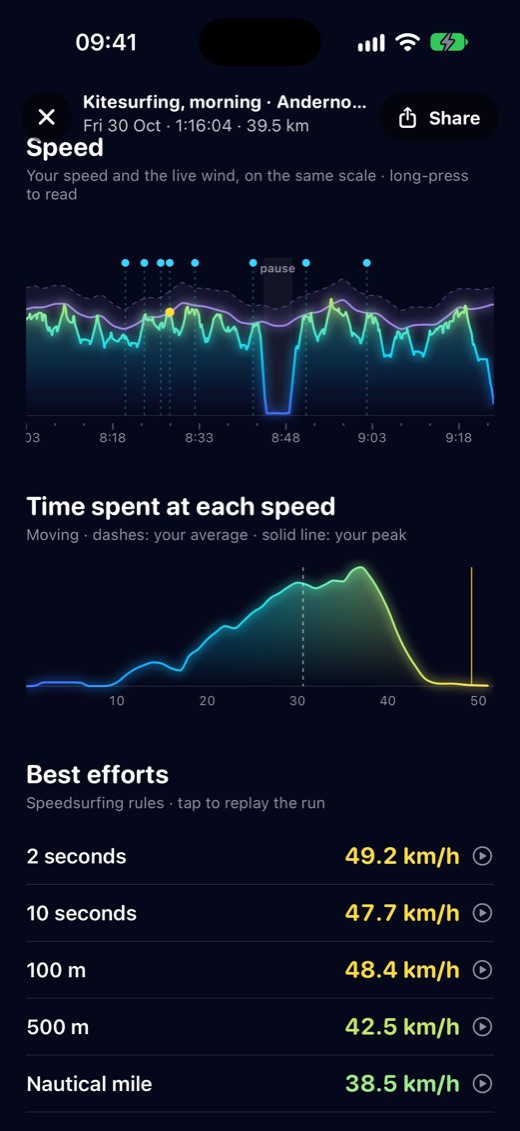
KiteYour top speed, your jumps, your airtime, and the wind that actually blew.
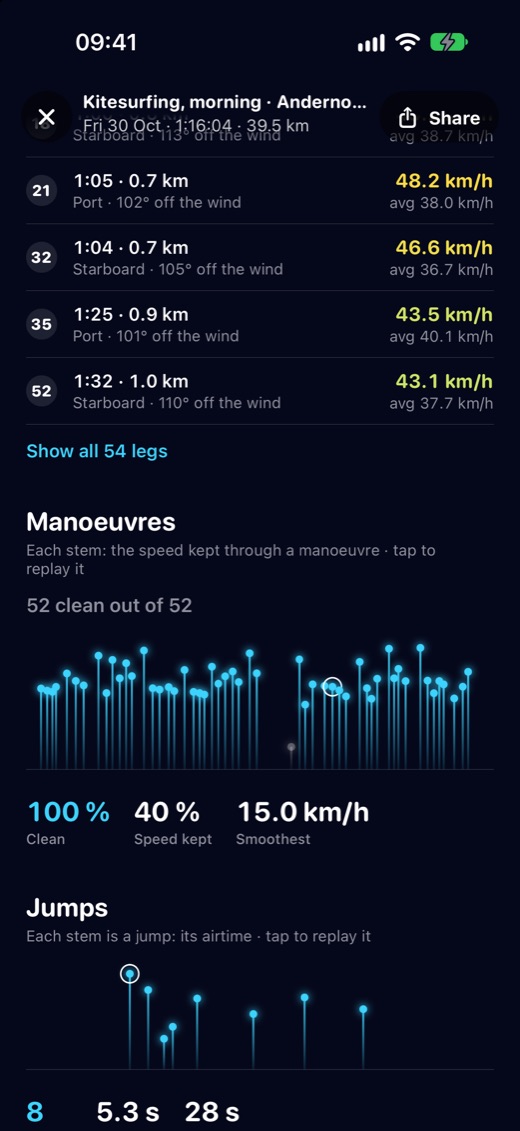
Wing and foilHow long in flight? How many jibes held? The speed kept through every maneuver.
Windsurf and speedSpeedsurfing rules: 2 s, 10 s, 500 m, nautical mile, alpha 500. Your polar, your upwind angle, your planing time.
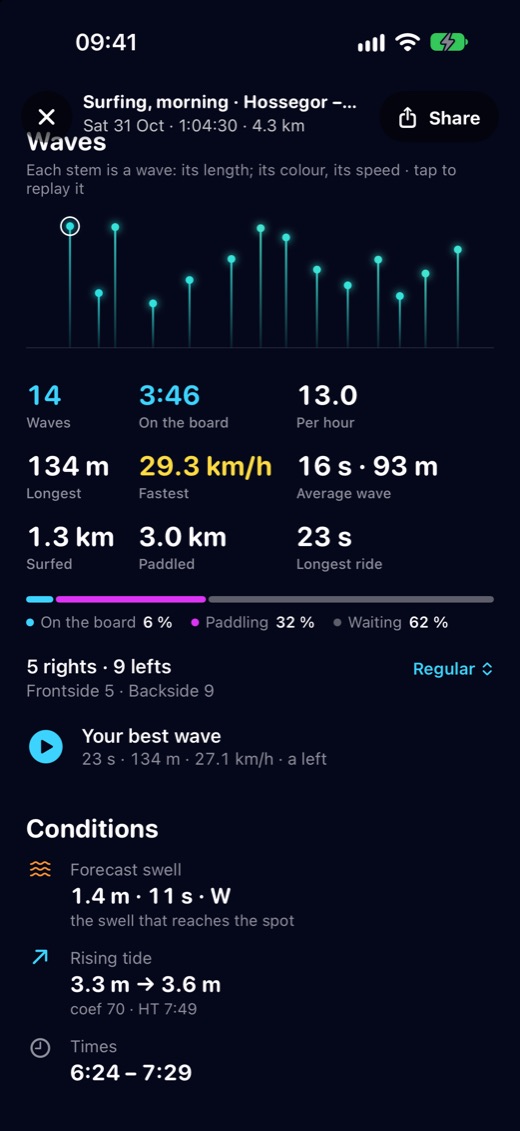
SurfHow many waves, how long standing, how many rights and lefts. The share of riding, paddling and waiting, and your best wave replayed.

For everyone: the session's conditions — real wind, gusts, rising or falling tide and coefficient, and the forecast swell in surf — and your heart rate with the Apple Watch.

The analysis: the session's effortsThe analysis: maneuversA surf session's analysis: the waves
Déjà-vu

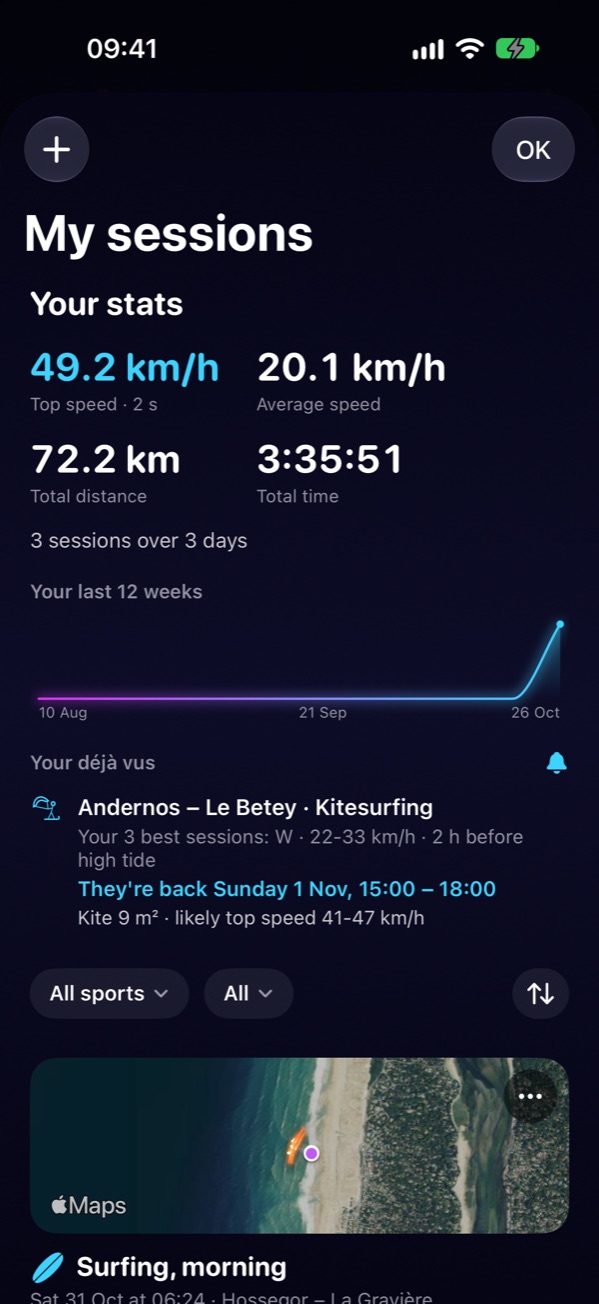
Tide It remembers your best sessions. And tells you when they come back.

On your spot, Tide It remembers the conditions of your best sessions: the wind, its direction, the moment in the tide. Then it watches the forecast and tells you when they come back, with a notification the day before. It even suggests the wing from your quiver and your likely top speed, learned from your sessions. And if the forecast wind is beyond anything you've ridden, it doesn't guess: it tells you to be careful.

A déjà-vu needs at least 3 sessions on a spot. These are estimates drawn from your sessions, not a promise.
My sessions and déjà-vu: the conditions of your best sessions coming back
A quiver that learns

Your gear, set up once.

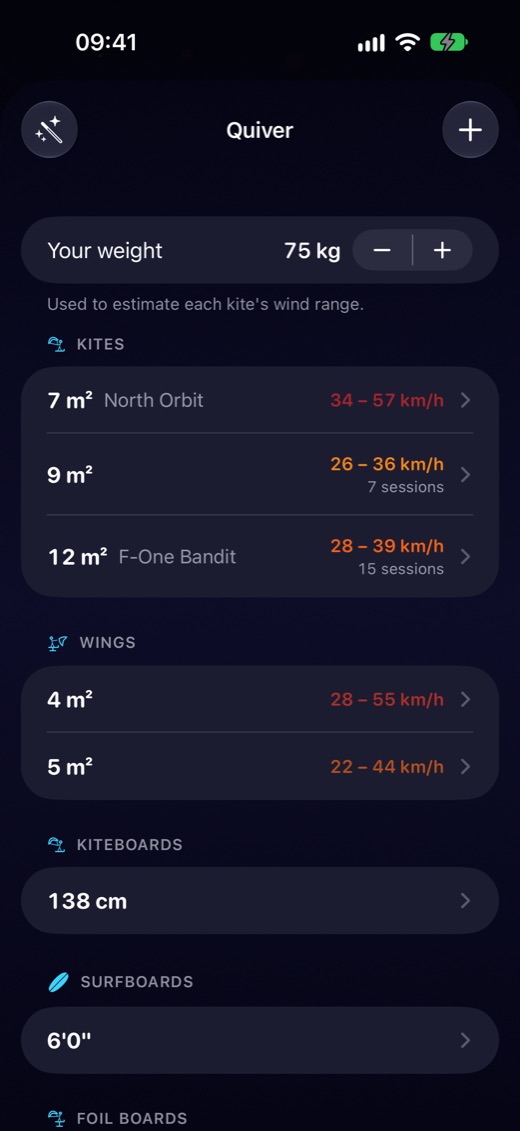
Your wings, boards, foils and wetsuits. With your weight, each wing gets its wind range, then fine-tunes itself after a few sessions in measured wind. It picks the gear in "Ready?" and sets your GO windows.

The quiver: wings, boards, foils and wetsuits, each with its wind range
Your past sessions too

Already have a GPS watch? Import your sessions.

Garmin, Suunto, Coros, Polar or Apple Health: import your GPX, FIT or TCX files, and Tide It adds the real wind and the tide. Your sessions also go to Apple Health, and export as GPX or CSV.

On all your devices

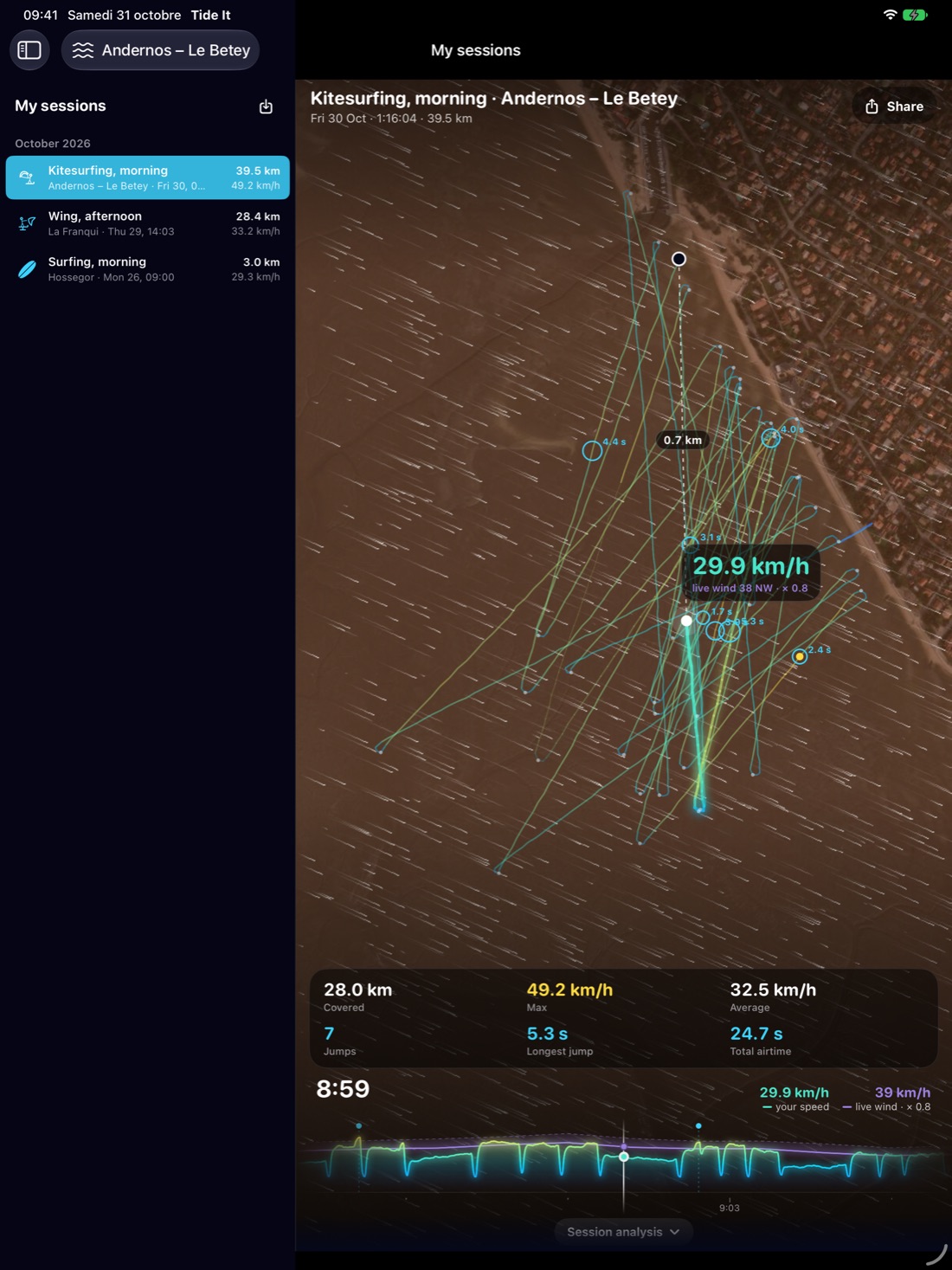
iPhone and Watch record. iPad and Mac let you relive.

Your sessions and your quiver move from one device to another through your iCloud account. The iPhone and the Apple Watch record; the iPad and the Mac let you relive your sessions on a big screen. Your heart rate and calories never go up to iCloud.

Reliving a session on the big screen of an iPad
Free and Premium

Recording is free.

Free
  • Recording all your sessions
  • Apple Watch, Apple Health and import
  • Your first 3 sessions in full, forever: Relive, the analysis, the records
Premium
  • Relive and the analysis of all your sessions
  • Records by sport
  • Déjà-vu and the predicted session
  • Session GO windows and Moon mode
  • And all of Tide It Premium: real wind, wind map, surf…

Join the beta and ride with us.

Tide It 7 is in beta on iPhone and Apple Watch. Now we need real sessions: record yours, or import your old ones, and tell us what's off. During the beta, all of Premium is free, and 6 months of Premium await you at launch if you send us at least one piece of feedback.

Join the beta →

50 spots · iPhone on iOS 18 or later · install Apple's TestFlight app first. Everything is explained on the beta page.

Questions

Do I need an Apple Watch?

No. The iPhone is enough to record. The watch adds heart rate, jumps on your wrist and one screen per sport.

What about my Garmin or Suunto?

They don't record live into Tide It, but you can import their files (GPX, FIT, TCX), and we add the real wind and the tide.

Where does the real wind come from?

From public weather stations around your spot, less than 15 km away. With no station nearby, Tide It shows nothing rather than a reading taken too far away.

On Android?

Tide It is on Android for tides and wind; Tide It 7's Session mode is on iPhone and Apple Watch.

Do my sessions stay private?

Yes. They live on your device and in your iCloud account. No Tide It account, and the story hides your start and finish.

The screenshots on this page come from sample sessions.